Nomad Sculpt is a 3D sculpting and painting app with multires sculpting, dynamic tessellation and PBR materials, sold as a one-time purchase per platform.
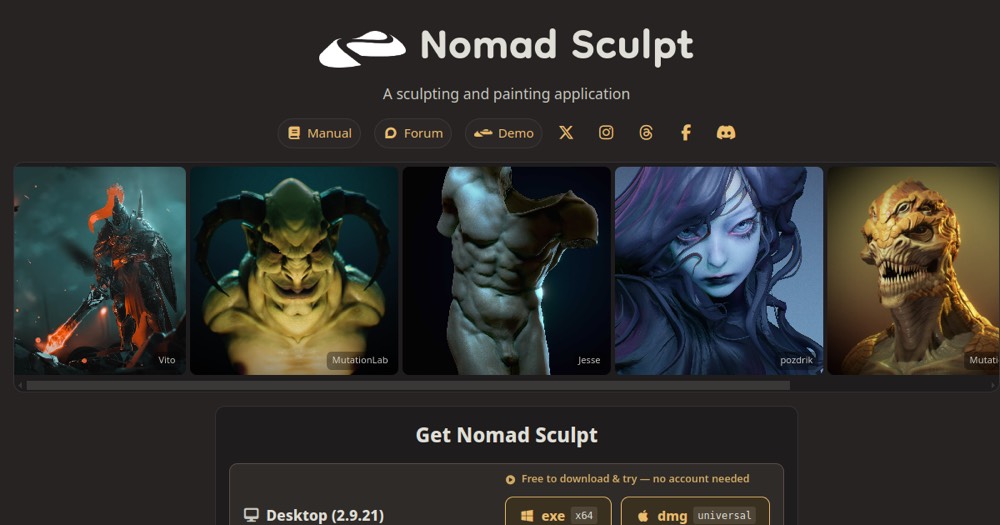
Nomad Sculpt is the little revolution of 3D sculpting on tablets. For a one-time purchase of around $15 (on iPad and Android), you get a surprisingly complete sculpting app: dynamic topology, layers, PBR painting, built-in rendering, and a touch comfort that makes sculpting very intuitive. For the price of a sandwich, you get 80 to 90% of a ZBrush experience.
Of course, it's not a full replacement for ZBrush in heavy production: it's mobile, lacks some advanced features, and a pro pipeline will often export to ZBrush or Blender afterward. But in value terms, it's unbeatable.
Who it's for: hobbyists, concept artists who like to sketch 3D ideas on the couch, beginners who want to learn sculpting without a subscription, and even pros for quick studies. To get into 3D sculpting or sculpt on the go, Nomad Sculpt is probably the best entry point on the market.
Practical uses
Sculpt a character or creature on iPad.
Create a 3D prototype for printing.
Paint and render a model in PBR on the go.
Features & use cases
3D
Sculpture 3d
The case for and against. What Nomad Sculpt does well, and when it costs too much.
For. What works in its favour.
One-time purchase, no subscription.
Very affordable for a pro tool.
Full layer system and PBR.
Optimized for stylus work on tablets.
You want a pro tool with no subscription.
You want an affordable mobile alternative to ZBrush.
Against. What to plan for.
Limited to compatible mobile devices.
Less powerful than high-end desktop software.
No permanent free trial version.
You need parametric CAD rather than sculpting.
You don't own a compatible tablet.
Pricing. What does Nomad Sculpt cost ?
Desktop license (Windows/macOS)
$35
Lifetime license, one-time payment.
One license covers 2 computers (Windows x64 and/or macOS universal)
No cross-platform purchases with mobile
Mobile license (iPad/iPhone/Android, per platform)
ToolTrim reference price
$15
Lifetime license, one-time payment.
Purchased separately per app store (App Store, Google Play, Huawei AppGallery)
A full 3D sculpting toolset (multires sculpting, dynamic tessellation, PBR materials) is available for a one-time payment of $35 desktop or $15 per mobile platform, with no subscription.
Simplicity
3/5
Neutral score: time-to-first-result and onboarding difficulty are not covered by the collected sources.
Fit for purpose
4/5
Delivers multires sculpting, dynamic tessellation and PBR materials as described, with offline use for up to 15 days, no workaround mentioned in the facts.
Performance
4/5
Covers a full sculpting and painting toolset plus multi-seat and classroom licensing, a broad range for a mobile-first 3D tool.
Reversibility
3/5
Neutral score: data export and portability are not covered by the collected sources.
On tablet, the most efficient combo is still generating a base with Meshy or Tripo, then importing it into Nomad to sculpt details by hand. It replaces the blockout step, not the sculpting itself.
Can AI replace it?
Replace Nomad with an AI? No: generative 3D gives a starting shape, but fine detail control and artistic expression remain a human gesture AI doesn't replicate. Verdict: AI provides the base, Nomad does the work that matters.
Nomad Sculpt is ideal for mobile 3D sculpting; for a full desktop studio pipeline, a desktop app is still better.
Frequently asked questions. What people ask about Nomad Sculpt.
What is Nomad Sculpt used for?
Nomad Sculpt is a 3D sculpting and painting app with multires sculpting, dynamic tessellation and PBR materials, sold as a one-time purchase per platform.
How much does Nomad Sculpt cost?
Nomad Sculpt is sold as a lifetime license. From $15 (lifetime license), Mobile license (iPad/iPhone/Android, per platform) plan. Price verified on September 25, 2026.
Is Nomad Sculpt suitable for beginners?
Nomad Sculpt is particularly suited for freelancers and solopreneurs.
Is Nomad Sculpt worth the price?
Nomad Sculpt is ideal for mobile 3D sculpting; for a full desktop studio pipeline, a desktop app is still better.
What are the best alternatives to Nomad Sculpt?
The main alternatives to Nomad Sculpt are: ZBrush, Blender. Free alternatives: Blender.
Is there a free alternative to Nomad Sculpt?
Yes, blender is a free alternative to Nomad Sculpt.





 Meshy
Meshy Tripo
Tripo