    ZBrush

    The reference for digital 3D sculpting (characters, creatures, props), by Maxon.

    From 30€/mo. Worth it for pro, intensive 3D sculpting.

    ToolTrim Verdict

    ZBrush

    4.1/5
    Very goodEditorial score

    Worth it for pro, intensive 3D sculpting.

    Free planYes
    ModelFreemium
    FromFreemium
    Verified2026-06-17
    How this score is calculated

    Recommended alternative

    Blender

    Cheaper alternative for similar needs.

    See review
    Quick decision

    ZBrush: when it makes sense.

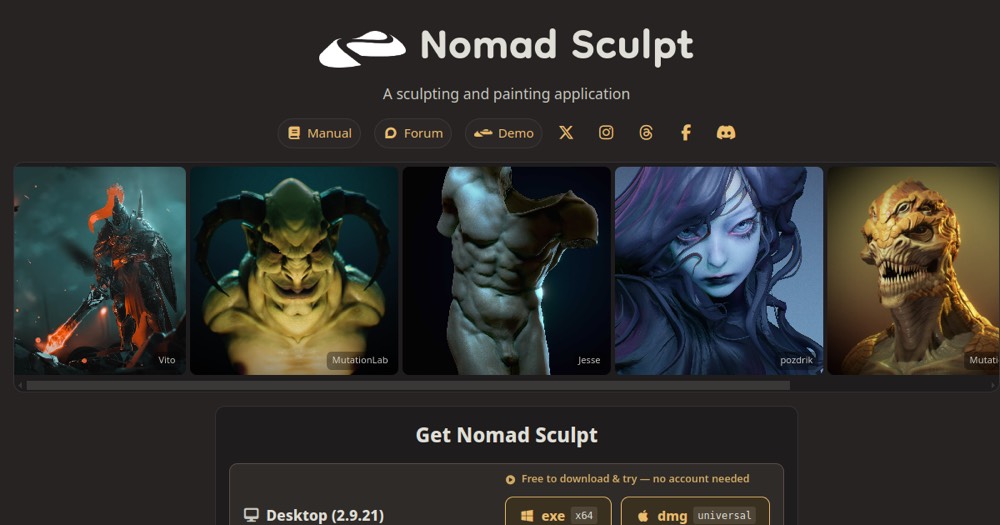
    Worth it for pro, intensive 3D sculpting. For occasional use, Blender or Nomad Sculpt cover the basics for free or a few euros.

    Keep if

    You sculpt 3D characters, creatures or props professionally and regularly. You want the most advanced sculpting finesse on the market

    Challenge if

    You're a beginner or sculpt occasionally: Blender (free) or Nomad Sculpt are enough. ZBrush's disorienting interface is a blocker for your use

    Main limitation

    Disorienting interface and steep learning curve

    ZBrush is worth it if…

    • You use it at least once a week
    • The monthly cost (€30) is small next to the time it saves you

    ZBrush is probably too expensive if…

    • You use it less than once a month
    • blender (free) already covers the essentials for occasional use
    Quick summary (condensed)

    ZBrush Summary

    Category
    productivity tool.
    Price from
    30€/mo (ZBrush (annuel)).
    Best for
    professionals.
    Avoid if
    You're a beginner or sculpt occasionally: Blender (free) or Nomad Sculpt are enough; ZBrush's disorienting interface is a blocker for your use.
    Alternatives
    Blender.
    ToolTrim verdict
    Worth it for pro, intensive 3D sculpting.
    Pricing

    How much does ZBrush cost?

    ZBrush is priced at €30/mo (ZBrush (annuel) plan). Here's what each plan actually includes.

    Free0 €

    ZBrushCoreMini free (limited)

    ZBrush (annuel)30/mo

    $29.91/month (annual). Included in Maxon One.

    Abonnement Maxon : 29,91$/mois (annuel) ; inclus dans Maxon One

    Price verified on 2026-06-17· maxon.netSee all plans
    Comparison

    Best alternatives to ZBrush.

    1 alternatives to ZBrush, compared by price, features, and fit for freelancers and small teams. Some are free or cheaper than ZBrush's €30/mo.

    ToolPrice/moFree planTT ScoreReplaceableVerdict
    ZBrushCurrent

    The reference for digital 3D sculpting (characters, creatures, props), by Maxon.

    30
    4.1
    n/a
    Blender

    Complete open-source 3D suite: modeling, animation, rendering, and compositing.

    Free
    3.6
    n/a

    ToolTrim Score · Independent editorial analysis · Not a user rating

    Which profile should pick what

    ProfileRecommendation
    Solo / freelanceBlender is often enough
    TeamBlender can be justified
    1 free alternatives
    Audience

    Who is ZBrush for?

    Designer
    Strengths and limitations

    ZBrush, strengths and limitations.

    What it does well

    • The absolute reference for high-density digital sculpting
    • Unmatched finesse and tools for characters and creatures
    • Included in Maxon One (with Cinema 4D and Redshift)
    • iPad version available

    Where it falls short

    • Disorienting interface and steep learning curve
    • Subscription only: no perpetual license
    • Blender (free) and Nomad Sculpt are eating into its turf
    • Overkill for occasional or beginner use
    Features

    What ZBrush covers.

    Sculpture 3d
    3d
    Use cases

    What is ZBrush used for?

    Sculpt a character or creature for games or film
    Create high-density props and 3D concept work
    Prepare a model for 3D printing
    Detail a model before retopology and texturing
    ToolTrim Analysis

    Our take on ZBrush.

    ZBrush is THE standard for digital sculpting. Created by Pixologic and acquired by Maxon in 2022, it lets you sculpt 3D models at tens of millions of polygons as if working with clay. It's the go-to tool for creating characters, creatures, props and 3D concept work in games, film and 3D printing.

    Its strength is also its difficulty: the interface is famous for being disorienting and the learning curve is steep. But once mastered, nothing matches its sculpting finesse. The model moved to a Maxon subscription ($29.91/month annually, or included in Maxon One alongside Cinema 4D and Redshift); the historic perpetual license is no longer sold. There's also an iPad version.

    Who it's for: 3D artists, character designers and pro sculptors. The trade-off is mainly price and usage. Blender now includes a free sculpting mode that's improving fast, and on iPad, Nomad Sculpt offers 90% of the experience for a few euros. ZBrush stays the reference for intensive pro work; for occasional or beginner use, free alternatives are often enough.

    The AI angle

    ZBrush vs AI

    AI challenges it
    Go further with AI

    For ZBrush, AI mostly arrives via base generation: tools like Meshy or Tripo output a rough 3D model from text or an image in seconds, which you import into ZBrush to sculpt in detail. It replaces the blockout step, not the artist's work.

    Can AI replace it?

    Replace ZBrush with an AI? For fine sculpting of characters and creatures, no: no AI gives you that level of detail and control. But to get a quick 3D base, generative 3D (Meshy, Tripo) is seriously eating into the blockout step, and for non-pro use it can be enough. Verdict: ZBrush stays king of detail, but AI is commoditizing the creation of starting shapes.

    Rating

    Our verdict on ZBrush.

    4.1/5

    Very good

    ToolTrim editorial score · Independent analysis

    Why this score

    ZBrush is fairly easy to replace with an alternative, a free tier to test before paying, clearly documented use cases.

    Using ZBrush?

    User reviews are coming soon. Share what works, what costs too much, what you'd change.

    Coming soon
    FAQ

    Questions about ZBrush.

    Pricing, plans, use cases and alternatives to ZBrush, key answers before adding this tool to your stack in 2026.

    Tool FAQ

    Frequently asked questions about ZBrush

    Pricing, usage, alternatives, and context: useful answers before adding one more tool to your stack.

    What is ZBrush used for?

    The reference for digital 3D sculpting (characters, creatures, props), by Maxon.

    How much does ZBrush cost?

    ZBrush costs €30/month (ZBrush (annuel) plan). Price verified on 2026-06-17.

    Is ZBrush suitable for beginners?

    ZBrush suits most professionals. See the "Who is it for" section for details.

    Is ZBrush worth the price?

    Worth it for pro, intensive 3D sculpting. For occasional use, Blender or Nomad Sculpt cover the basics for free or a few euros.

    What are the best alternatives to ZBrush?

    The main alternatives to ZBrush are: Blender. Free alternatives: Blender.

    Is there a free alternative to ZBrush?

    Yes, blender is a free alternative to ZBrush.

    STACK AUDIT

    Is ZBrush part of your stack?

    Find out in a few minutes if you're actually using it, paying the right price, and which tools around it can be challenged.

    Free · 5 minutes · Personalised result

    Audit my stack