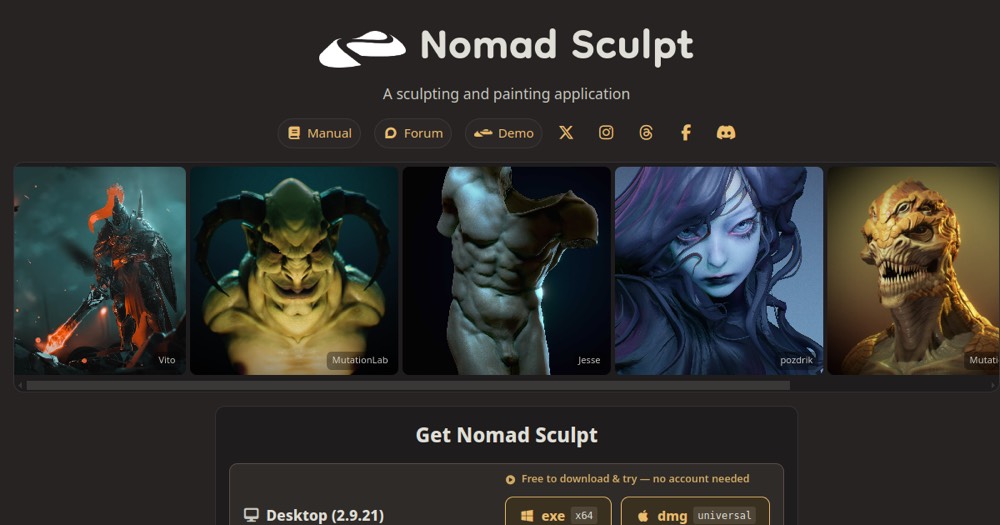
Nomad Sculpt is a 3D sculpting and painting app with multires sculpting, dynamic tessellation and PBR materials, sold as a one-time purchase per platform.
Nomad Sculpt is the little revolution of 3D sculpting on tablets. For a one-time purchase of around $15 (on iPad and Android), you get a surprisingly complete sculpting app: dynamic topology, layers, PBR painting, built-in rendering, and a touch comfort that makes sculpting very intuitive. For the price of a sandwich, you get 80 to 90% of a ZBrush experience.
Of course, it's not a full replacement for ZBrush in heavy production: it's mobile, lacks some advanced features, and a pro pipeline will often export to ZBrush or Blender afterward. But in value terms, it's unbeatable.
Who it's for: hobbyists, concept artists who like to sketch 3D ideas on the couch, beginners who want to learn sculpting without a subscription, and even pros for quick studies. To get into 3D sculpting or sculpt on the go, Nomad Sculpt is probably the best entry point on the market.
Practical uses
Sculpt a character or creature on iPad.
Create a 3D prototype for printing.
Paint and render a model in PBR on the go.
Features & use cases
3D
Sculpture 3d
The case for and against. What Nomad Sculpt does well, and when it costs too much.
For. What works in its favour.
One-time purchase, no subscription.
Very affordable for a pro tool.
Full layer system and PBR.
Optimized for stylus work on tablets.
You want a pro tool with no subscription.
You want an affordable mobile alternative to ZBrush.
Against. What to plan for.
Limited to compatible mobile devices.
Less powerful than high-end desktop software.
No permanent free trial version.
You need parametric CAD rather than sculpting.
You don't own a compatible tablet.
Our verdict. What to know about Nomad Sculpt.
How the score breaks down
Added value
4/5
A full 3D sculpting toolset (multires sculpting, dynamic tessellation, PBR materials) is available for a one-time payment of $35 desktop or $15 per mobile platform, with no subscription.
Simplicity
3/5
Neutral score: time-to-first-result and onboarding difficulty are not covered by the collected sources.
Fit for purpose
4/5
Delivers multires sculpting, dynamic tessellation and PBR materials as described, with offline use for up to 15 days, no workaround mentioned in the facts.
Performance
4/5
Covers a full sculpting and painting toolset plus multi-seat and classroom licensing, a broad range for a mobile-first 3D tool.
Reversibility
3/5
Neutral score: data export and portability are not covered by the collected sources.