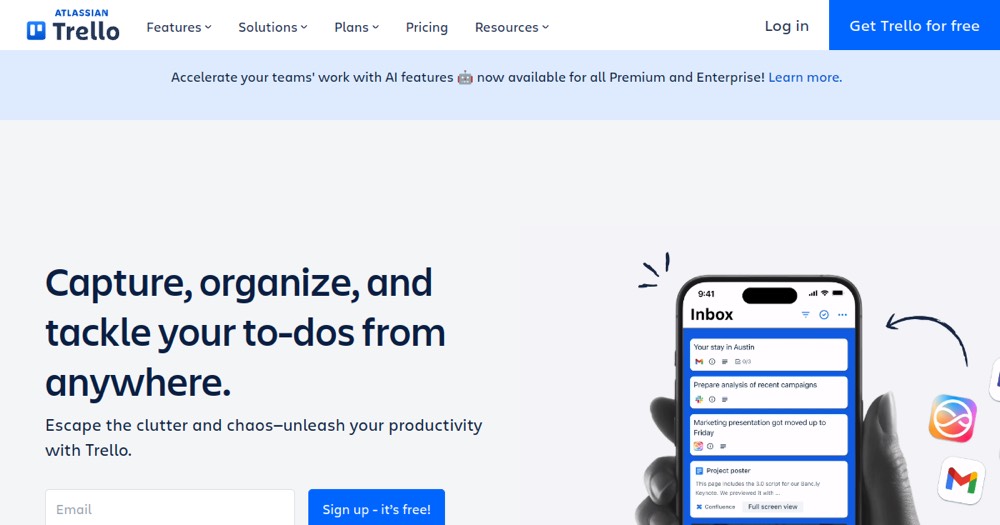
    Trello preview

    Trello Reviews, pricing and alternatives 2026

    Visual Kanban for organizing your projects without the complexity.

    From 5€/mo.

    Best for
    ConsultantTech profileDesigner

    Solo / Freelance

    Can work

    Team

    Highly recommended

    What it does
    Gestion taches
    Collaboration
    Planning
    Project management
    Task management

    Trello

    ToolTrim Verdict
    3.8/5
    Decent

    As soon as you have more than 2 active projects and Notion becomes too cumbersome for task management.

    Pricing verified on

    Our take

    Understanding Trello.

    Trello is the Kanban board in its simplest form: columns (To Do, Doing, Done), cards you drag from one to another, and that's it. That simplicity is its strength: you understand the tool in thirty seconds, no training. To track a few projects, organize a light backlog or coordinate a small team, it's fast and visual.

    The free tier is generous (up to 10 boards per space), then the Standard plan is $5/user/month and Premium $10 (adding Calendar, Timeline and Table views). Trello belongs to Atlassian, the maker of Jira.

    The limit is the flip side of its simplicity: no real dependencies, no native Gantt, little automation beyond the basics. Once your projects get more complex, Asana, ClickUp or Notion offer more structure. But for visual, no-fuss task tracking, Trello stays unbeatable for its lightness.

    Practical uses

    • Track a few projectsA visual Kanban board
    • Organize a light backlog or a team task list
    • Coordinate a small team without a complex tool
    • Manage a simple pipeline (content, applications, clients)

    Pros and cons

    What Trello does especially well — and the limits to anticipate.

    Pros

    • Immediate simplicity: you understand Kanban in thirty seconds
    • Generous free tier, up to 10 boards per space
    • Smooth drag-and-drop and pleasant visual interface
    • Power-Ups to add features as needed

    Cons

    • No Gantt or real task dependencies
    • Quickly limited for complex projects: Asana or ClickUp are more structured
    • Basic automation beyond simple rules
    • Cost climbs per user as the team grows

    Trello: when it makes sense.

    As soon as you have more than 2 active projects and Notion becomes too cumbersome for task management.

    Keep if

    You like to visualize your tasks in columns (To Do, Doing, Done). You manage 2-5 projects simultaneously

    Trello becomes worthwhile when
    • You use it at least once a week
    • The monthly cost (€5) is small next to the time it saves you

    Challenge if

    You need advanced features (Gantt, dependencies). You manage 10+ complex projects (choose Asana or ClickUp)

    Trello becomes too expensive when
    • You use it less than once a month
    • Notion (free) already covers the essentials for occasional use

    How much does Trello cost?

    Free0 €

    Free, up to 10 boards per space

    Standard5/mo

    Standard at $5/user/month, Premium at $10

    Official pricing sourceverified on

    Trello's real cost by team size

    TeamPlanMonthly costAnnual costVerdict
    SoloStandard~5 €~60 €Limited cost
    3 peopleStandard~15 €~180 €Limited cost
    10 peopleStandard~50 €~600 €Worth a budget check
    50 peopleStandard~250 €~3000 €Worth a budget check

    Estimate calculated from the displayed per-user price - check the official page for monthly/annual billing and any current promotions.

    Total cost = SaaS cost + (Setup time × Hourly rate) / 12 + Monthly maintenance × Hourly rate

    Concrete example: a freelancer billing $50/h who spends 30 min/month chasing collaborators for a task update is losing $25/month in hidden time. Trello Standard at $5/month pays for itself from month one — but past 250 Butler automation runs per month (the free plan's cap), you'll need that same paid plan sooner than expected.

    Trello's billing traps

    The invisible free-tier automation cap (Butler)

    The free plan caps Butler, its automation engine, at 250 runs per month for the whole workspace — the same cap as Asana Starter, but on the free tier this time. An active team hits it fast.

    The free plan locked to 10 boards and 10 collaborators

    Beyond 10 boards per workspace or 10 collaborators, you need Standard ($5/user/month).

    The 50-seat minimum on Enterprise

    The Enterprise plan enforces a 50-seat minimum (from $17.50/user/month) — a poor fit for any team under 50 people that would need its features.

    Best alternatives to Trello.

    Trello preview
    Trello logo

    TrelloCurrent

    Visual Kanban for organizing your projects without the complexity.

    3.8ToolTrim score
    Monthly price
    5€
    Free plan
    Included
    Notion preview
    Notion logo
    Notion

    The all-in-one external brain.

    3.6ToolTrim score
    Monthly price
    10€
    Free plan
    Included
    Asana preview
    Asana logo
    Asana

    Work management platform for teams.

    3.6ToolTrim score
    Monthly price
    10€
    Free plan
    Included
    Jira preview
    Jira logo
    Jira

    The reference agile project management for tech teams.

    3.6ToolTrim score
    Monthly price
    7€
    Free plan
    Included
    The AI angle

    Trello vs AI

    AI challenges it
    Go further with AI

    Trello added Atlassian Intelligence to summarize cards and suggest actions. Its simple Kanban board model remains its strength, but also its limit.

    Can AI replace it?

    Replace Trello with an AI? For very simple tracking, richer AI-native tools (ClickUp, monday) or even a general AI assistant structuring lists can cover the same need, making Trello less differentiated. Verdict: challenged by more AI-native competitors at the same price point.

    The AIs that matter here

    Trello Summary

    Category
    productivity tool.
    Price from
    5€/mo (Standard).
    Best for
    Ideal for a small team or solo user visualizing tasks in simple columns. Becomes limited as projects get more complex.
    Avoid if
    You need advanced features (Gantt, dependencies); You manage 10+ complex projects (choose Asana or ClickUp).
    Alternatives
    Notion, Asana, Jira.
    ToolTrim verdict
    As soon as you have more than 2 active projects and Notion becomes too cumbersome for task management.

    Our verdict on Trello.

    Why this verdict

    Decent

    Trello is fairly easy to replace with an alternative, a free tier to test before paying, clearly documented use cases.

    Tool FAQ

    Frequently asked questions about Trello

    Pricing, usage, alternatives, and context: useful answers before adding one more tool to your stack.

    What is Trello used for?

    Visual Kanban for organizing your projects without the complexity.

    How much does Trello cost?

    Trello costs €5/month (Standard plan). Price verified on 2026-06-15.

    Is Trello suitable for beginners?

    Ideal for a small team or solo user visualizing tasks in simple columns. Becomes limited as projects get more complex.

    Is Trello worth the price?

    As soon as you have more than 2 active projects and Notion becomes too cumbersome for task management.

    What are the best alternatives to Trello?

    The main alternatives to Trello are: Notion, Asana, Jira.

    Is there a free alternative to Trello?

    Yes, Notion is a free alternative to Trello.