

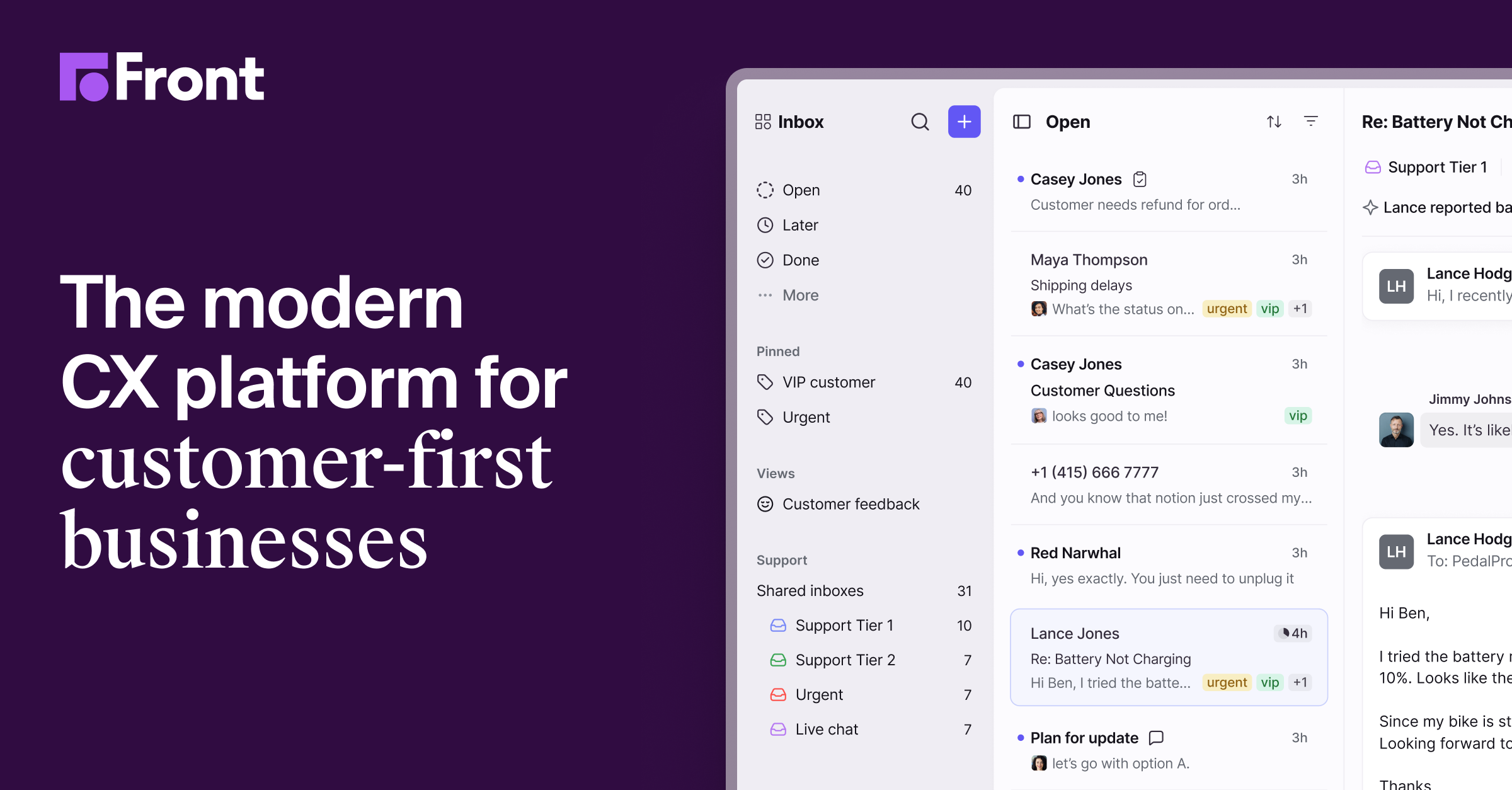
    Front preview

    Front Reviews, pricing and alternatives 2026

    Multi-channel shared inbox (email, SMS, chat) for support and sales teams.

    From 25€/mo.

    Best for

    Solo / Freelance

    Highly recommended

    Team

    Highly recommended

    What it does
    Shared inbox

    Front

    ToolTrim Verdict
    3.3/5
    Mixed

    Check Outlook compatibility before committing; otherwise solid for a multi-channel shared inbox.

    Pricing verified on

    Our take

    Understanding Front.

    Front centralizes incoming messages (email, SMS, WhatsApp, chat, social media) into a shared inbox where the whole team sees who's responding to what in real time, with assignment and internal comments to avoid duplicate replies.

    Since January 2026, Front removed two-way Outlook sync: an email read or archived in Front no longer updates in the original Outlook inbox, which breaks the shared-inbox promise for mixed Gmail/Outlook teams — an important point to check before committing if your team uses Outlook.

    Practical uses

    • Centralize multi-channel customer support for a team splitting replies
    • Avoid duplicate replies on a shared inboxClear assignment
    • Track SLAs and automate ticket routing via rules

    Pros and cons

    What Front does especially well — and the limits to anticipate.

    Pros

    • Transparent shared inbox, easy to adopt with little training
    • Real-time activity (who's viewing, who's replying) that avoids duplicates
    • Covers several channels (email, SMS, chat, social) in one interface

    Cons

    • Two-way Outlook sync removed in January 2026 — check if your team uses Outlook
    • Per-seat pricing that rises quickly ($25 to $105/seat/month)
    • AI features billed as an extra (+$20-50/seat)

    Front: when it makes sense.

    Check Outlook compatibility before committing; otherwise solid for a multi-channel shared inbox.

    Keep if

    Your team is on Gmail or doesn't need two-way Outlook sync. You want a multi-channel shared inbox that's easy to adopt

    Front becomes worthwhile when
    • You use it at least once a week
    • The monthly cost (€25) is small next to the time it saves you

    Challenge if

    Your team depends on Outlook and needs emails to stay synced both ways. The per-seat budget ($25-105) exceeds what your team size justifies

    Front becomes too expensive when
    • You use it less than once a month
    • A simple free version or a tool already in your stack would do

    How much does Front cost?

    Starter25/mo

    Starter at $25/seat/month (1 channel, max 10 seats, 2-seat minimum); Professional $65/seat (omnichannel, up to 50 seats); Enterprise $105/seat. AI features as a paid add-on (+$20-50/seat).

    Official pricing sourceverified on

    Front's real cost by team size

    TeamPlanMonthly costAnnual costVerdict
    Solo (2 min.)Starter~50 €~600 €Worth a budget check
    3 peopleStarter~75 €~900 €Worth a budget check
    10 peopleStarter~250 €~3000 €Worth a budget check
    50 peopleStarter~1250 €~15000 €Serious budget decision

    Estimate calculated from the displayed per-user price - check the official page for monthly/annual billing and any current promotions.

    Total cost = SaaS cost + (Setup time × Hourly rate) / 12 + Monthly maintenance × Hourly rate

    Concrete example: a 2-person support team billing $50/h that collectively loses 2h/month stepping on each other in a poorly organized shared inbox is losing $100/month in hidden time. Front Starter at $50/month (2-seat minimum) solves that and easily pays for itself — but past 10 seats or to handle multiple channels, the jump to Professional ($65/seat) needs to be planned for.

    Front's billing traps

    The 2-seat minimum, even on the entry plan

    Front has no solo plan: even Starter ($25/seat/month) enforces a 2-seat minimum — $50/month just to get started.

    Starter caps at 10 seats and a single channel

    Past 10 people, or to manage multiple channels (email + chat + SMS), you need Professional ($65/seat/month) — a 2.6x jump.

    Best alternatives to Front.

    The AI angle

    Front vs AI

    AI augments this tool
    Go further with AI

    Front added AI reply suggestions and conversation summaries, but remains primarily a shared inbox to coordinate a support or sales team on the same emails.

    Can AI replace it?

    Replace Front with an AI? No: coordinating a team on a shared inbox (assignment, statuses, history) remains an organizational need AI assists without replacing. Verdict: AI augments reply drafting, team coordination remains the product.

    Front Summary

    Category
    productivity tool.
    Price from
    25€/mo (Starter).
    Best for
    Ideal for a support team wanting an easy-to-adopt, multichannel shared inbox. The per-seat price ($25-105) climbs fast.
    Avoid if
    Your team depends on Outlook and needs emails to stay synced both ways; The per-seat budget ($25-105) exceeds what your team size justifies.
    ToolTrim verdict
    Check Outlook compatibility before committing; otherwise solid for a multi-channel shared inbox.

    Our verdict on Front.

    Why this verdict

    Mixed

    Front is fairly easy to replace with an alternative, no free tier to test before paying, clearly documented use cases.

    Tool FAQ

    Frequently asked questions about Front

    Pricing, usage, alternatives, and context: useful answers before adding one more tool to your stack.

    What is Front used for?

    Multi-channel shared inbox (email, SMS, chat) for support and sales teams.

    How much does Front cost?

    Front costs €25/month (Starter plan). Price verified on 2026-03-13.

    Is Front suitable for beginners?

    Ideal for a support team wanting an easy-to-adopt, multichannel shared inbox. The per-seat price ($25-105) climbs fast.

    Is Front worth the price?

    Check Outlook compatibility before committing; otherwise solid for a multi-channel shared inbox.

    What are the best alternatives to Front?

    No direct alternative listed.