Screen Studio

    Mac screen recorder with automatic cinematic effects — for pro demos.

    From 8€/mo. Worth $108/year if you create at least 1 demo or tutorial per month — the editing time savings are immediate.

    ToolTrim Verdict

    Screen Studio

    3.8/5
    DecentEditorial score

    Worth $108/year if you create at least 1 demo or tutorial per month — the editing time savings are immediate.

    Free planYes
    ModelFreemium
    FromFreemium
    Verified2026-05-08
    Quick decision

    Screen Studio — when it makes sense.

    Worth $108/year if you create at least 1 demo or tutorial per month — the editing time savings are immediate.

    Keep if

    You regularly create product demos or tutorials on Mac. You want pro videos without learning Final Cut Pro or Premiere

    Challenge if

    You're on Windows or Linux — the tool doesn't exist for these platforms. You do long, complex recordings — Loom or Descript are better

    Main limitation

    macOS only — no Windows or Linux

    Screen Studio Summary

    In short
    Category
    productivity tool.
    Price from
    8€/mo (Annuel).
    Best for
    freelancers and solopreneurs.
    Avoid if
    You're on Windows or Linux — the tool doesn't exist for these platforms; You do long, complex recordings — Loom or Descript are better.
    Alternatives
    Loom, Descript.
    ToolTrim verdict
    Worth $108/year if you create at least 1 demo or tutorial per month — the editing time savings are immediate.
    Audience

    Who is Screen Studio for?

    DeveloperDesignerContent creator

    Solo / Freelance

    Highly recommended

    Team

    Can work

    Strengths and limitations

    Screen Studio, strengths and limitations.

    What it does well

    • Automatic zoom on clicks — pro demos without manual editing
    • Cinematic effects (motion, background, frame) in a few clicks
    • Automatic keyboard shortcut highlighting
    • Usable for free — export only with paid plan
    • De facto standard for SaaS demos and product tutorials

    Where it falls short

    • macOS only — no Windows or Linux
    • Switched from one-time license to subscription in 2026 — frustrating for early buyers
    • $29/month monthly is expensive for occasional use
    • Less suited for long training videos or complex screencasts (no advanced editing)
    Features

    What Screen Studio covers.

    Screen recording
    Demo creation
    Video tutorial
    Use cases

    What is Screen Studio used for?

    Create a SaaS product demo with automatic zoom on key features
    Record a technical tutorial with keyboard shortcuts highlighted
    Make a client onboarding video for product documentation in 20 minutes
    ToolTrim Analysis

    Our take on Screen Studio.

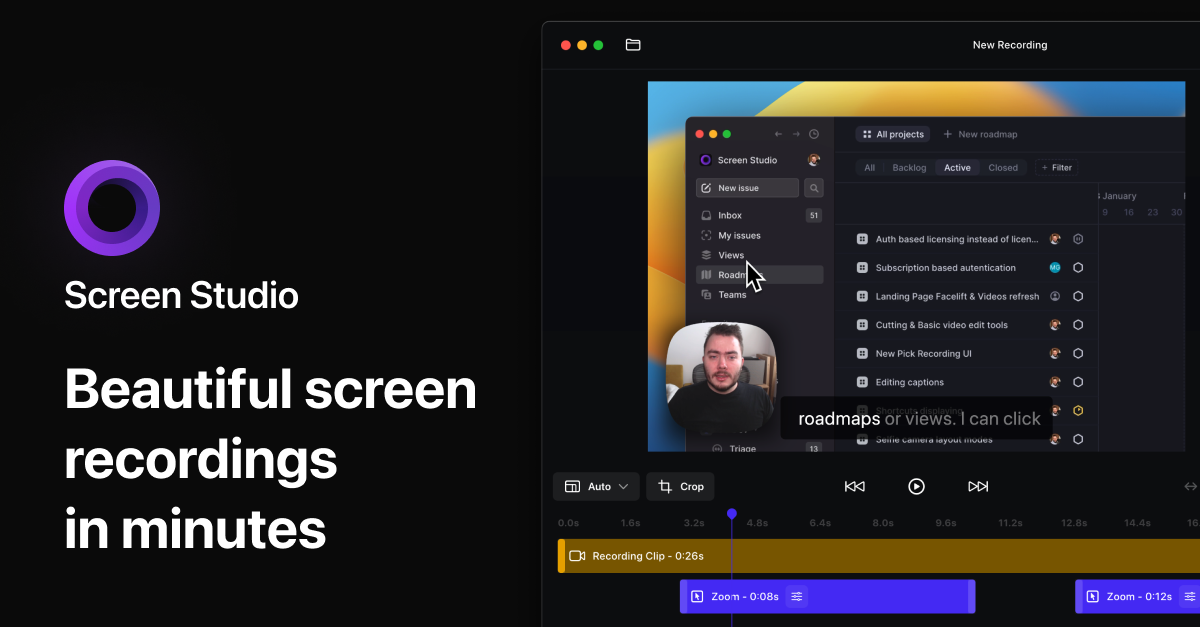
    Screen Studio is a macOS screen recorder that automatically transforms your raw recordings into visually impressive demos: automatic zoom on clicks, smooth motion curves, keyboard shortcut highlighting, custom background and app frame.

    In 2026, Screen Studio moved to subscription-only: $9/month annual (≈€8.28) or $29/month monthly (≈€26.68). The app is usable free with all features — export requires an active subscription.

    For indie hackers, designers and developers creating product demos, tutorials or technical documentation, Screen Studio produces professional-quality videos without needing Final Cut Pro or a videographer. It has become the de facto standard for SaaS demos.

    Pricing

    How much does Screen Studio cost?

    Screen Studio is priced at €8.28/mo (Annuel plan). Here's what each plan actually includes.

    Free0 €

    Free to record and preview

    Annuel8.28/mo

    Annual $9/month ($108/year) · Monthly $29/month

    macos_only

    Price verified on 2026-05-08· screen.studioSee all plans
    Comparison

    Best alternatives to Screen Studio.

    2 alternatives to Screen Studio — compared by price, features, and fit for freelancers and small teams. Some are free or cheaper than Screen Studio's €8.28/mo.

    ToolPrice/moFree planTT ScoreReplaceableVerdict
    Screen StudioCurrent
    8
    3.8
    16
    3.6
    10
    3.6

    ToolTrim Score · Independent editorial analysis · Not a user rating

    Rating

    Our verdict on Screen Studio.

    3.8/5

    Decent

    ToolTrim editorial score · Independent analysis

    Analysed signals

    Clear and documented use cases
    Free or freemium plan available
    Accessible pricing (< €20/mo)
    Category reference tool
    Hard to replace short-term
    Built-in AI features

    Using Screen Studio?

    User reviews are coming soon. Share what works, what costs too much, what you'd change.

    Coming soon
    FAQ

    Questions about Screen Studio.

    Pricing, plans, use cases and alternatives to Screen Studio — key answers before adding this tool to your stack in 2026.

    Tool FAQ

    Frequently asked questions about Screen Studio

    Pricing, usage, alternatives, and context: useful answers before adding one more tool to your stack.

    What is Screen Studio used for?

    Mac screen recorder with automatic cinematic effects — for pro demos.

    How much does Screen Studio cost?

    Screen Studio costs €8.28/month (Annuel plan). Price verified on 2026-05-08.

    Is Screen Studio suitable for beginners?

    Screen Studio is particularly suited for freelancers and solopreneurs. high

    Is Screen Studio worth the price?

    Worth $108/year if you create at least 1 demo or tutorial per month — the editing time savings are immediate.

    What are the best alternatives to Screen Studio?

    The main alternatives to Screen Studio are: Loom, Descript.

    STACK AUDIT

    Is Screen Studio part of your stack?

    Find out in a few minutes if you're actually using it, paying the right price, and which tools around it can be challenged.

    Free · 5 minutes · Personalised result

    Audit my stack