Screen Studio shines for pro-looking Mac demos with no editing; off macOS or for a raw one-off need, a basic recorder is enough.
About
In practice. What you can do with Screen Studio.
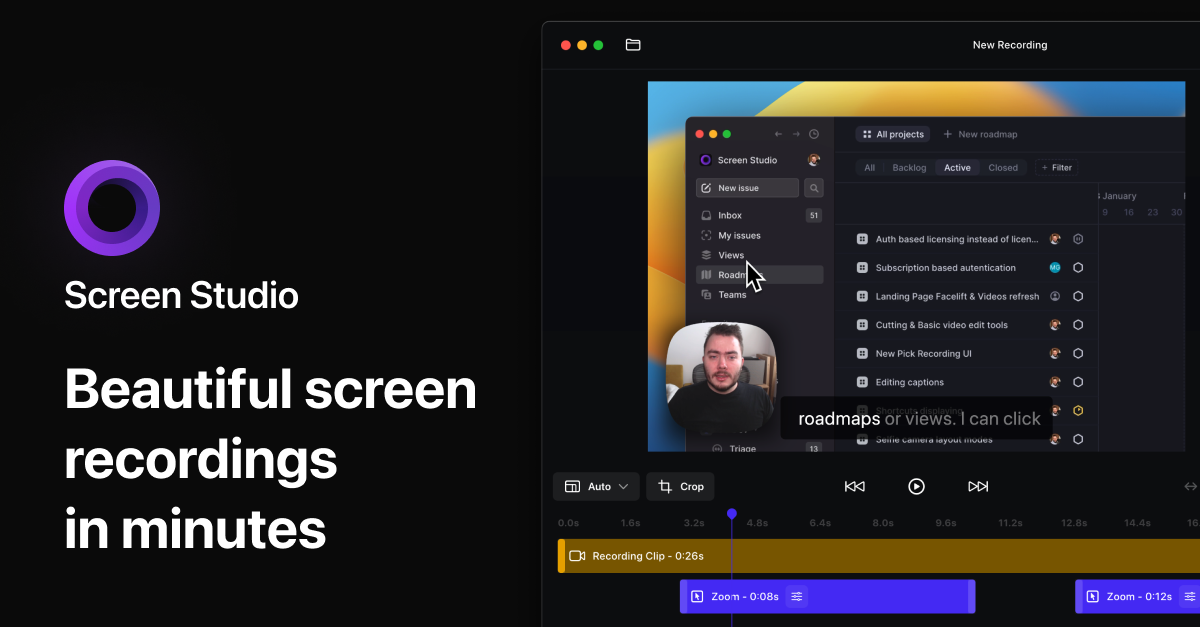
Screen Studio is a macOS screen recorder that automatically transforms your raw recordings into visually impressive demos: automatic zoom on clicks, smooth motion curves, keyboard shortcut highlighting, custom background and app frame.
In 2026, Screen Studio moved to subscription-only: $9/month annual (≈€8.28) or $29/month monthly (≈€26.68). The app is usable free with all features — export requires an active subscription.
For indie hackers, designers and developers creating product demos, tutorials or technical documentation, Screen Studio produces professional-quality videos without needing Final Cut Pro or a videographer. It has become the de facto standard for SaaS demos.
Practical uses
Create a polished product demo for a landing page.
Record a clear software tutorial.
Produce screen clips for social media.
Features & use cases
Creation
Montage video
Generation video
Screen recording
Video creation
Video editing
Pros and cons. What Screen Studio does well, and what to expect.
Pros
Automatic professional look (zooms, camera).
Saves time versus manual editing.
Refined customization (backgrounds, cursor).
Lifetime license available.
Cons
macOS only, no Windows version.
No permanent free version.
Built-in share links have duration limits.
When it makes sense. Keep Screen Studio, or challenge it?
Keep if
You're on Mac and create product demos or tutorials.
You want a professional look without long editing.
Screen Studio becomes worthwhile when
+You use it at least once a week
+The monthly cost ($8.28) is small next to the time it saves you
Challenge if
You're on Windows or Linux.
A plain raw screen recording is enough for you.
Screen Studio becomes too expensive when
−You use it less than once a month
−A simple free version or a tool already in your stack would do
Our verdict. What to know about Screen Studio.
Why this verdict
Great
Screen Studio is fairly easy to replace with an alternative, a free tier to test before paying, clearly documented use cases.