

    My stack

    Rubberhose 3

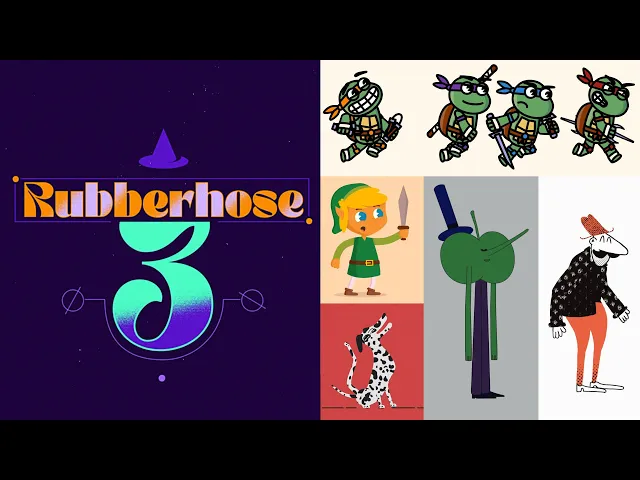
    After Effects rigging extension for quickly building flexible limbs, connecting artwork and reusing stylized character rigs.

    Visit Rubberhose 3
    ToolTrim verdict Very good out of 5

    Keep it if You regularly animate stylized characters in After Effects.

    Compare alternatives
    Rubberhose 3, preview 1
    Rubberhose 3, preview 2
    Rubberhose 3, preview 3
    Rubberhose 3, preview 4
    About

    In practice. What you can do with Rubberhose 3.

    After Effects rigging extension for quickly building flexible limbs, connecting artwork and reusing stylized character rigs.

    Key strengths: very fast setup for flexible limbs; editable styles without rebuilding animation; one-time purchase with no subscription; compositions rely on native After Effects features; a strong balance between simplicity and visual control.

    Choose Rubberhose 3 to speed up flexible limbs and graphic characters in After Effects. Choose Duik for a broader free rigging system if you accept a longer learning curve.

    Practical uses

    • Build an editorial character for an explainer video.
    • Create several poses quickly from one rig.
    • Connect Illustrator artwork to flexible limbs.

    Features & use cases

    2D/3D animation
    Animation personnages
    Motion design

    The case for and against. What Rubberhose 3 does well, and when it costs too much.

    For. What works in its favour.

    • Very fast setup for flexible limbs.
    • Editable styles without rebuilding animation.
    • One-time purchase with no subscription.
    • Compositions rely on native After Effects features.
    • A strong balance between simplicity and visual control.
    • You want to test different silhouettes without rebuilding the rig.
    • Your team needs to open and render compositions without licensing every render workstation.

    Against. What to plan for.

    • Entirely dependent on After Effects.
    • Less comprehensive than a general-purpose rigging system.
    • Each person creating or deeply managing rigs needs a license.
    • The flexible-limb look does not suit every character style.
    • You primarily work in Blender, Moho or Toon Boom.
    • You only create characters occasionally and Duik already covers the workflow.

    Pricing. What does Rubberhose 3 cost ?

    Rubberhose 3

    Rubberhose 3: $65 one-time purchase

    Checked on September 2, 2026Official pricing

    Our verdict. What to know about Rubberhose 3.

    Why this verdict

    Very good

    Rubberhose 3 is hard to replace short-term, no free tier to test before paying, clearly documented use cases.

    Rubberhose 3 Summary

    Category
    productivity tool.
    Price from
    Free (Rubberhose 3).
    Best for
    professionals.
    Avoid if
    You need a complete skeleton system, automated walk cycles or lip sync; You primarily work in Blender, Moho or Toon Boom.
    ToolTrim verdict
    Choose Rubberhose 3 to speed up flexible limbs and graphic characters in After Effects.

    Frequently asked questions. What people ask about Rubberhose 3.

    What is Rubberhose 3 used for?

    After Effects rigging extension for quickly building flexible limbs, connecting artwork and reusing stylized character rigs.

    How much does Rubberhose 3 cost?

    ToolTrim has not verified Rubberhose 3's pricing yet; check the official page for current prices.

    Is Rubberhose 3 suitable for beginners?

    Rubberhose 3 suits most professionals. See the "Who is it for" section for details.

    Is Rubberhose 3 worth the price?

    Choose Rubberhose 3 to speed up flexible limbs and graphic characters in After Effects. Choose Duik for a broader free rigging system if you accept a longer learning curve.

    What are the best alternatives to Rubberhose 3?

    No direct alternative listed.

    Rubberhose 3
    Visit site