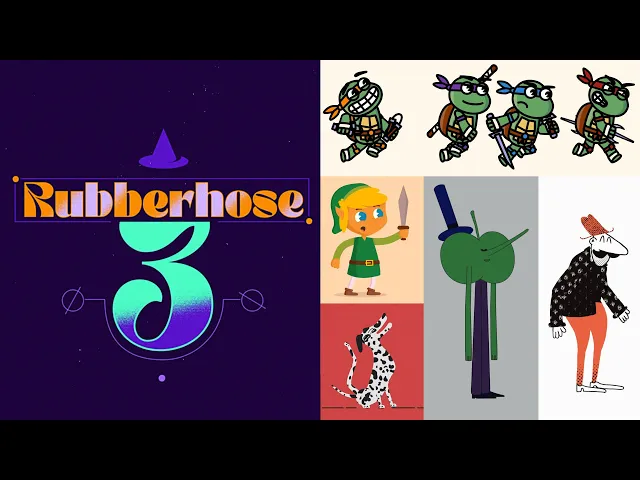
Choose Rubberhose 3 to speed up flexible limbs and graphic characters in After Effects. Choose Duik for a broader free rigging system if you accept a longer learning curve.
1 / 2
About
In practice. What you can do with Rubberhose 3.
After Effects rigging extension for quickly building flexible limbs, connecting artwork and reusing stylized character rigs.
Key strengths: very fast setup for flexible limbs; editable styles without rebuilding animation; one-time purchase with no subscription; compositions rely on native After Effects features; a strong balance between simplicity and visual control.
Choose Rubberhose 3 to speed up flexible limbs and graphic characters in After Effects. Choose Duik for a broader free rigging system if you accept a longer learning curve.
Practical uses
Build an editorial character for an explainer video.
Create several poses quickly from one rig.
Connect Illustrator artwork to flexible limbs.
Features & use cases
Animation 2d 3d
Animation personnages
Motion design
Pros and cons. What Rubberhose 3 does well, and what to expect.
Pros
Very fast setup for flexible limbs.
Editable styles without rebuilding animation.
One-time purchase with no subscription.
Compositions rely on native After Effects features.
A strong balance between simplicity and visual control.
Cons
Entirely dependent on After Effects.
Less comprehensive than a general-purpose rigging system.
Each person creating or deeply managing rigs needs a license.
The flexible-limb look does not suit every character style.
When it makes sense. Keep Rubberhose 3, or challenge it?
Keep if
You regularly animate stylized characters in After Effects.
You want to test different silhouettes without rebuilding the rig.
Challenge if
You need a complete skeleton system, automated walk cycles or lip sync.
You primarily work in Blender, Moho or Toon Boom.
Our verdict. What to know about Rubberhose 3.
Why this verdict
Great
Rubberhose 3 is hard to replace short-term, no free tier to test before paying, clearly documented use cases.