    Adobe Podcast AI preview

    Adobe Podcast AI Reviews, pricing and alternatives 2026

    AI audio cleanup: removes noise and gives a studio-quality voice, for free.

    Best for
    What it does
    Montage audio
    Debruitage audio
    Qualite podcast

    Adobe Podcast AI

    ToolTrim Verdict
    4.4/5
    Very good

    Adobe Podcast makes sense to quickly enhance voice with AI without expertise; for fine mixing, a dedicated DAW (like Audition) fits better.

    Pricing verified on

    Our take

    Understanding Adobe Podcast AI.

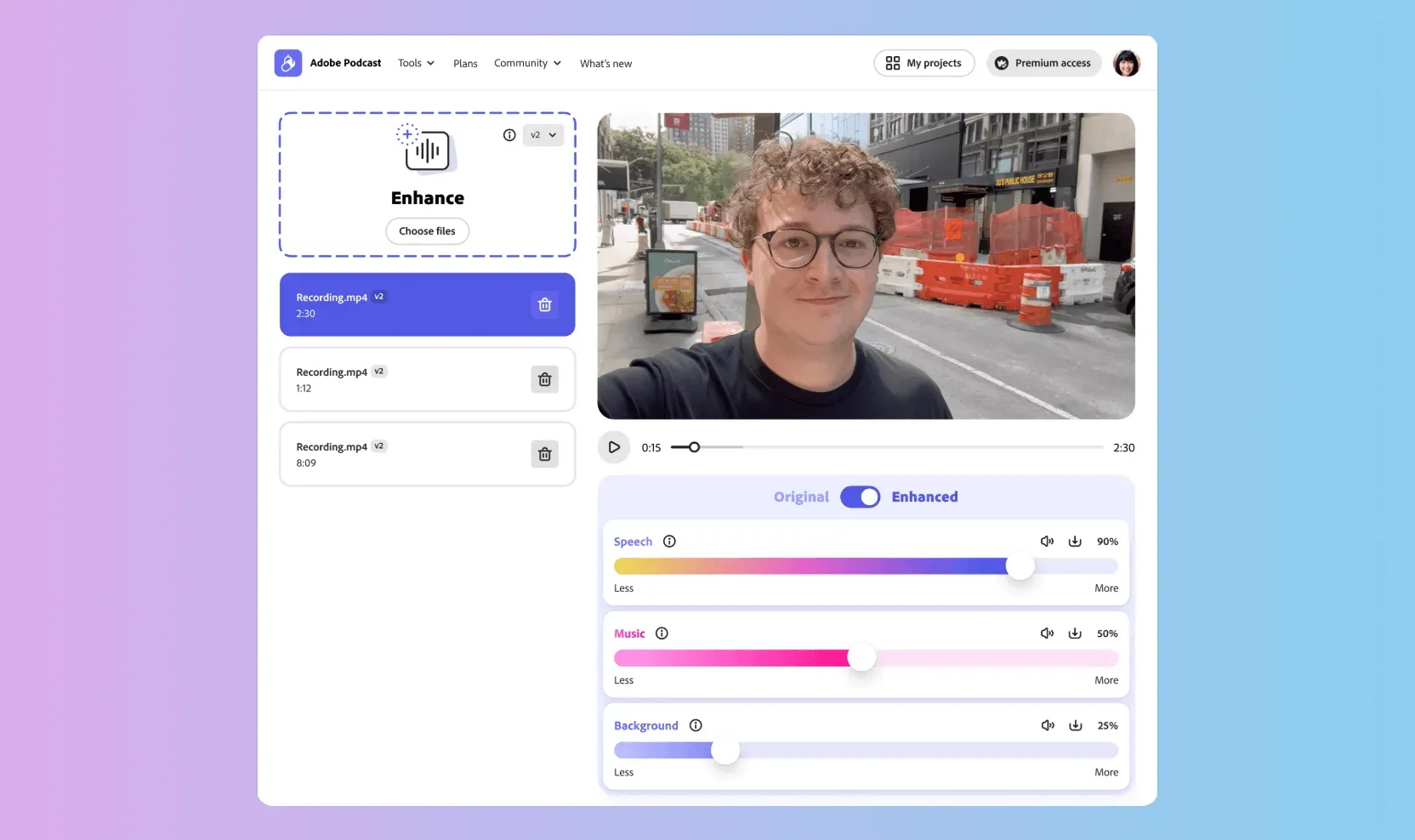
    Adobe Podcast (Enhance Speech) is an AI voice cleaner. You drop in a recording with echo, background noise or a mediocre mic, and the tool hands back a clean voice, as if recorded in a studio. The result is striking in difficult conditions (a room that echoes, AC hum, a laptop mic), to the point of becoming a reflex for many podcasters and video creators.

    The big argument is that the basic version is free, with no Adobe subscription: you can process up to one hour of audio per day, in 30-minute files. To go further (2-hour files, video processing, batch processing, an intensity slider), there's a Premium plan around $10/month.

    Who it's really for: if you record voiceovers, interviews or podcasts in uncontrolled conditions, it's a free safety net that saves takes. If you already use Descript or a full editing suite, denoising is often built in, and Adobe Podcast then duplicates it. But as a free entry point, it's hard to beat.

    Practical uses

    • Clean a noisy voice for a podcast.
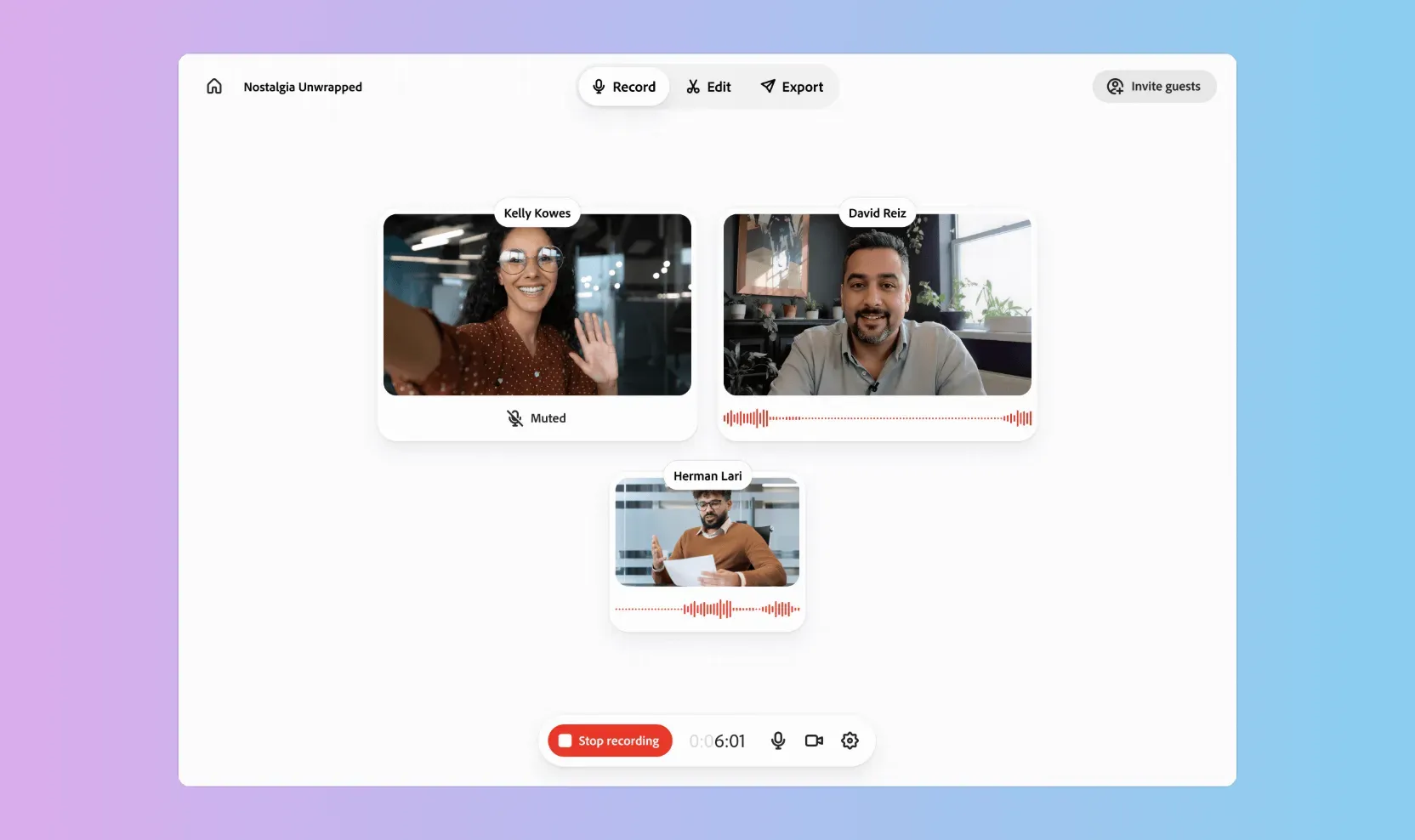
    • Record and edit a voice-over in the browser.
    • Get studio-quality voice quickly.

    Pros and cons

    What Adobe Podcast AI does especially well — and the limits to anticipate.

    Pros

    • AI voice enhancement with a clean result.
    • In-browser recording and editing.
    • Noise and reverb reduction.
    • Accessible without audio expertise.

    Cons

    • Less fine than pro mixing in a DAW.
    • Mostly relevant for voice (not music).
    • Tied to the Adobe ecosystem.

    Adobe Podcast AI: when it makes sense.

    Adobe Podcast makes sense to quickly enhance voice with AI without expertise; for fine mixing, a dedicated DAW (like Audition) fits better.

    Keep if

    You produce spoken content (podcasts, voice-overs) and want a clean AI result.. You want to record and enhance voice without audio expertise.

    Challenge if

    You already mix finely in a DAW.. Your audio needs are rare.

    How much does Adobe Podcast AI cost?

    This tool is included in Adobe Creative Cloud. See pricing and plans on the suite's page.
    Free0 €

    Free: 1h of audio per day, 30-minute files

    Free

    Premium around $10/month (2h files, video, batch processing)

    Official pricing sourceverified on

    Best alternatives to Adobe Podcast AI.

    Adobe Podcast AI preview
    Adobe Podcast AI logo

    Adobe Podcast AICurrent

    AI audio cleanup: removes noise and gives a studio-quality voice, for free.

    4.4ToolTrim score
    Monthly price
    Free
    Free plan
    Included
    Descript preview
    Descript logo
    Descript

    Text-based audio/video editing. Transcription, silence removal, AI overdub.

    4.0ToolTrim score
    Monthly price
    10€
    Free plan
    Included
    Audacity preview
    Audacity logo
    Audacity

    Open-source audio editing software. Free, powerful, universal.

    3.9ToolTrim score
    Monthly price
    Free
    Free plan
    Included
    Riverside preview
    Riverside logo
    Riverside

    Studio-quality podcast and video recording, remotely.

    3.6ToolTrim score
    Monthly price
    13€
    Free plan
    Included
    The AI angle

    Adobe Podcast AI vs AI

    AI augments this tool
    Go further with AI

    Adobe Podcast AI automatically cleans audio (background noise, echo) and improves recording quality with a basic microphone, without replacing the content or the podcaster's performance.

    Can AI replace it?

    Replace Adobe Podcast AI with a professional studio? For basic audio quality, AI effectively closes the gap with amateur equipment. For very demanding broadcast quality, real professional audio processing remains preferable. Verdict: AI augments amateur audio quality, professional mixing expertise remains differentiating for the highest demands.

    Adobe Podcast AI Summary

    Category
    productivity tool.
    Price from
    Free (Free).
    Best for
    professionals.
    Avoid if
    You already mix finely in a DAW.; Your audio needs are rare..
    Alternatives
    Descript, Audacity, Riverside.
    ToolTrim verdict
    Adobe Podcast makes sense to quickly enhance voice with AI without expertise; for fine mixing, a dedicated DAW (like Audition) fits better.

    Our verdict on Adobe Podcast AI.

    Why this verdict

    Very good

    Adobe Podcast AI is fairly easy to replace with an alternative, a free tier to test before paying, clearly documented use cases.

    Tool FAQ

    Frequently asked questions about Adobe Podcast AI

    Pricing, usage, alternatives, and context: useful answers before adding one more tool to your stack.

    What is Adobe Podcast AI used for?

    AI audio cleanup: removes noise and gives a studio-quality voice, for free.

    How much does Adobe Podcast AI cost?

    Adobe Podcast AI costs €0 (free) (Free plan). Price verified on 2026-06-15.

    Is Adobe Podcast AI suitable for beginners?

    Adobe Podcast AI suits most professionals. See the "Who is it for" section for details.

    Is Adobe Podcast AI worth the price?

    Adobe Podcast makes sense to quickly enhance voice with AI without expertise; for fine mixing, a dedicated DAW (like Audition) fits better.

    What are the best alternatives to Adobe Podcast AI?

    The main alternatives to Adobe Podcast AI are: Descript, Audacity, Riverside. Free alternatives: Audacity.