My stack

    Microsoft PowerPoint

    Standard for business, sales, and institutional presentations.

    Visit website
    ToolTrim verdict3.7/ 5Average

    PowerPoint remains the reference for professional, universally compatible presentations; for rare and simple use, a free web tool is enough.

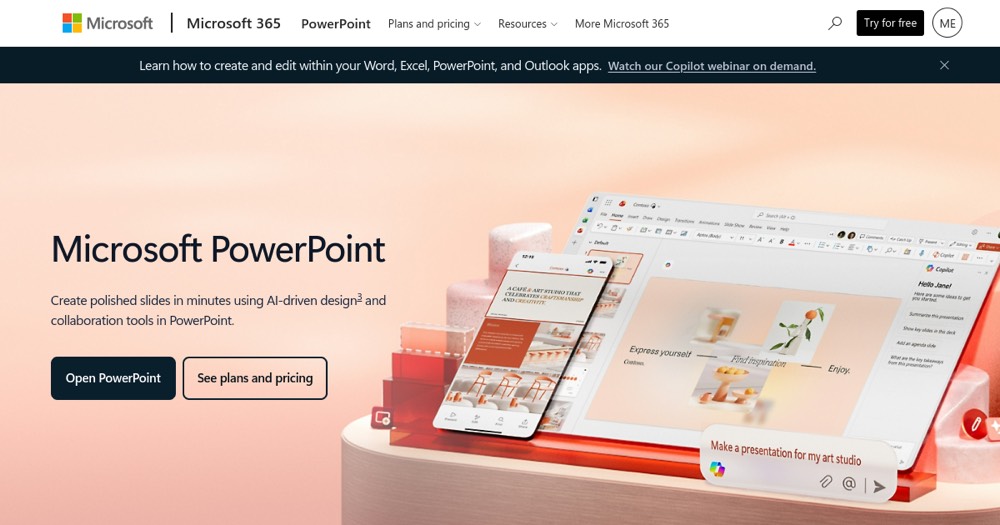
    Microsoft PowerPoint, preview 1
    About

    In practice. What you can do with Microsoft PowerPoint.

    Microsoft's presentation software for building slides, part of the Microsoft 365 suite, with templates, animations, collaboration and design assistance tools.

    Practical uses

    • Prepare a client presentation.
    • Build training material.
    • Create a professional pitch deck.

    Features & use cases

    Presentation client
    Templates
    Collaboration

    Pros and cons. What Microsoft PowerPoint does well, and what to expect.

    Pros

    • De facto standard, universally compatible format.
    • Rich templates, animations and tools.
    • Real-time collaboration via Microsoft 365.
    • Free web version available.

    Cons

    • Full features behind a subscription.
    • Can feel heavy for simple needs.
    • Microsoft-centric ecosystem.

    When it makes sense. Keep Microsoft PowerPoint, or challenge it?

    Keep if

    • You regularly create professional presentations.
    • You already work in the Microsoft 365 ecosystem.
    Microsoft PowerPoint becomes worthwhile when
    • You use it at least once a week
    • The monthly cost ($7) is small next to the time it saves you

    Challenge if

    • You only make rare, very simple presentations.
    • You prefer a natively collaborative web presentation tool.
    Microsoft PowerPoint becomes too expensive when
    • You use it less than once a month
    • A simple free version or a tool already in your stack would do

    Pricing. What does Microsoft PowerPoint cost ?

    Free

    $0

    No permanent free plan.

    Paid plan

    €7/mo

    Paid plans available. See the official pricing source for details.

    Alternatives. What could replace Microsoft PowerPoint?

    Tools in the same category

    They cover the same needs as Microsoft PowerPoint, but aren't confirmed one-to-one replacements yet. Compare them against your own use.


    Our verdict. What to know about Microsoft PowerPoint.

    Why this verdict

    Average

    Microsoft PowerPoint is fairly easy to replace with an alternative, no free tier to test before paying, clearly documented use cases.

    Microsoft PowerPoint Summary

    Category
    content creation tool.
    Price from
    $7/mo.
    Best for
    professionals.
    Avoid if
    You only make rare, very simple presentations; You prefer a natively collaborative web presentation tool.
    ToolTrim verdict
    PowerPoint remains the reference for professional, universally compatible presentations; for rare and simple use, a free web tool is enough.

    Frequently asked questions.

    What to know before choosing Microsoft PowerPoint.

    What is Microsoft PowerPoint used for?

    Standard for business, sales, and institutional presentations.

    How much does Microsoft PowerPoint cost?

    Microsoft PowerPoint costs €7/month.

    Is Microsoft PowerPoint suitable for beginners?

    Microsoft PowerPoint suits most professionals. See the "Who is it for" section for details.

    Is Microsoft PowerPoint worth the price?

    PowerPoint remains the reference for professional, universally compatible presentations; for rare and simple use, a free web tool is enough.

    What are the best alternatives to Microsoft PowerPoint?

    No direct alternative listed.

    Microsoft PowerPointFrom €7/mo
    Visit