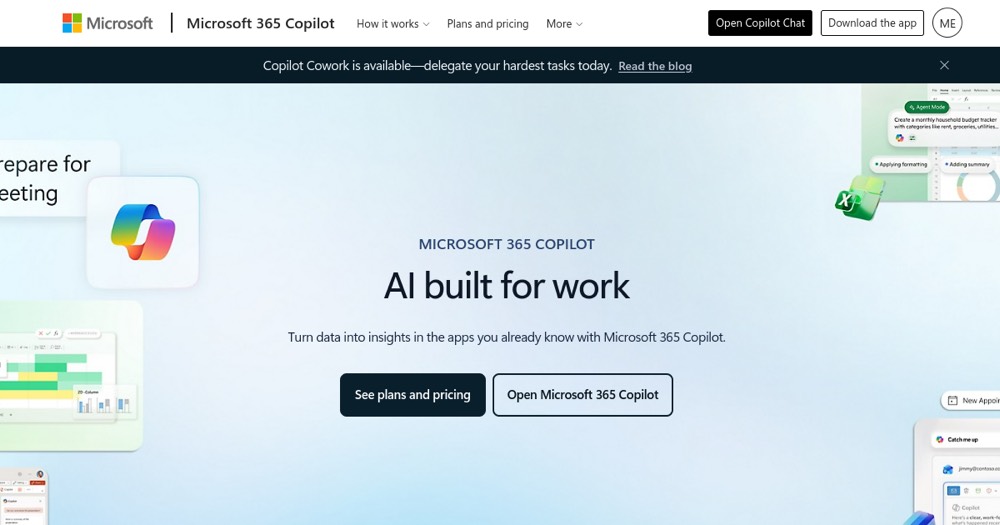
AI assistant built into Microsoft 365 apps (Word, Excel, Outlook, Teams, PowerPoint) that generates content, summarizes documents, creates presentations, and enables workplace collaboration.
Microsoft 365 Copilot suits organizations already embedded in Microsoft ecosystem; for others, standalone AI assistants may be more flexible.
About
In practice. What you can do with Microsoft 365 Copilot.
AI assistant built into Microsoft 365 apps (Word, Excel, Outlook, Teams, PowerPoint) that generates content, summarizes documents, creates presentations, and enables workplace collaboration.
Key strengths: Deep integration with Microsoft 365 tools.; Simplified team collaboration.; Customizable AI agents for specific workflows.; Enterprise data security and compliance..
Microsoft 365 Copilot suits organizations already embedded in Microsoft ecosystem; for others, standalone AI assistants may be more flexible.
Practical uses
Generate reports and summaries in Excel and Word.
Facilitate meetings and note-taking in Teams.
Create PowerPoint presentations via AI.
Features & use cases
Assistant generaliste
Notes reunion
Workflows
Writing assistant
Pros and cons. What Microsoft 365 Copilot does well, and what to expect.
Pros
Deep integration with Microsoft 365 tools.
Simplified team collaboration.
Customizable AI agents for specific workflows.
Enterprise data security and compliance.
Cons
Additional cost per user.
Dependency on Microsoft ecosystem.
Complex agent setup for advanced use.
When it makes sense. Keep Microsoft 365 Copilot, or challenge it?
Keep if
You use Microsoft 365 daily.
You need AI integrated into Word, Excel, and Teams.
Microsoft 365 Copilot becomes worthwhile when
+You use it at least once a week
+The monthly cost ($25) is small next to the time it saves you
Challenge if
You're not a Microsoft 365 user.
You prefer standalone generalist AI tools.
Microsoft 365 Copilot becomes too expensive when
−You use it less than once a month
−ChatGPT (free) already covers the essentials for occasional use
Microsoft 365 Copilot integrates AI directly into Word, Excel, Outlook, and Teams, betting on distribution within tools already used by millions of businesses rather than a separate AI interface.
Can AI replace it?
Does Copilot 365 replace the Microsoft tools themselves? No: it's an assistance layer added to tools that remain the infrastructure (documents, spreadsheets, emails). Verdict: AI augments productivity within existing tools, it doesn't replace them.
Microsoft 365 Copilot suits organizations already embedded in Microsoft ecosystem; for others, standalone AI assistants may be more flexible.
Frequently asked questions.
What to know before choosing Microsoft 365 Copilot.
What is Microsoft 365 Copilot used for?
AI assistant built into Microsoft 365 apps (Word, Excel, Outlook, Teams, PowerPoint) that generates content, summarizes documents, creates presentations, and enables workplace collaboration.
How much does Microsoft 365 Copilot cost?
Microsoft 365 Copilot costs €25/month. Price verified on 2026-07-24.
Is Microsoft 365 Copilot suitable for beginners?
Microsoft 365 Copilot is built mainly for teams rather than solo use.
Is Microsoft 365 Copilot worth the price?
Microsoft 365 Copilot suits organizations already embedded in Microsoft ecosystem; for others, standalone AI assistants may be more flexible.
What are the best alternatives to Microsoft 365 Copilot?
The main alternatives to Microsoft 365 Copilot are: ChatGPT, Claude.
Is there a free alternative to Microsoft 365 Copilot?
Yes, ChatGPT is a free alternative to Microsoft 365 Copilot.