A rental license covering roughly 11 months (44 euros/month) costs about as much as the 479-euro perpetual license, which also covers 2 seats.
About
In practice. What you can do with MadMapper.
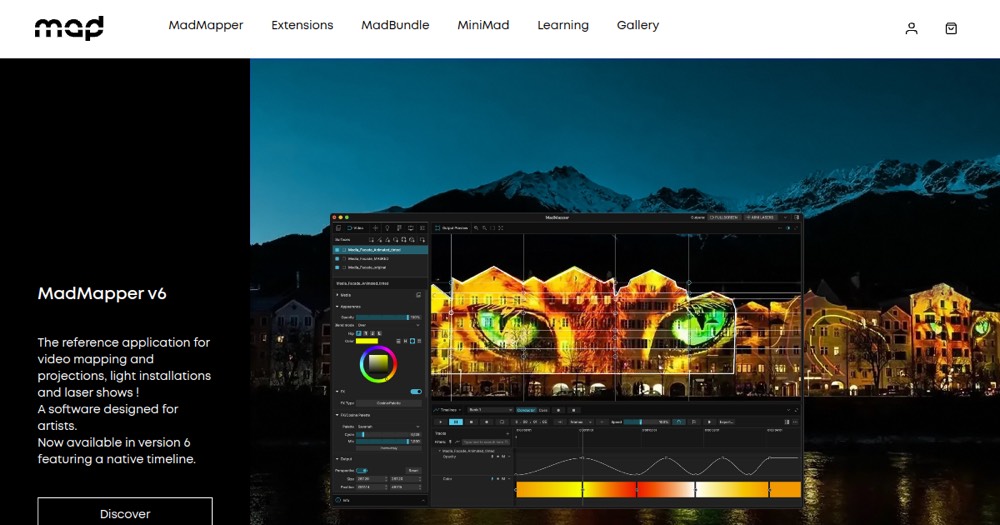
MadMapper maps video in real time onto physical surfaces for projection and LED installations, with DMX lighting control integration for combined video and lighting shows. It runs on macOS and Windows, though it is not designed to run inside a Windows virtual machine.
A free demo lets you evaluate the software with a watermark, disabled project saving and cropped features. A rental license costs 44 euros/month for one computer, while a perpetual license is 479 euros one-time but requires a minimum of 2 seats. It fits a visual or creative technologist producing live projection mapping who needs both video and lighting control in one tool.
Practical uses
TestTry MadMapper's projection mapping features on the watermarked demo before buying a license for a live show.
PerformRun a live projection and DMX lighting show on a rental license for a single event without a permanent purchase.
Features & use cases
Effets visuels
Animation
Temps reel
Pros and cons. What MadMapper does well, and what to expect.
Pros
Combines real-time video mapping and DMX lighting control in a single tool.
Rental license offers a lower-commitment way to cover a single event or show.
Free demo lets you test the workflow before paying.
Cons
Perpetual license requires a minimum of 2 seats, raising the effective entry cost for a solo user.
Free demo cannot save or load projects, limiting it to short evaluation sessions.
When it makes sense. Keep MadMapper, or challenge it?
Keep if
You produce live projection mapping or LED installations and need combined video and DMX lighting control.
MadMapper becomes worthwhile when
+You use it at least once a week
+The monthly cost (€44) is small next to the time it saves you
Challenge if
You only need occasional mapping for one event and don't want the 2-seat minimum of the perpetual license.
MadMapper becomes too expensive when
−You use it less than once a month
−A simple free version or a tool already in your stack would do
Our verdict. What to know about MadMapper.
Why this verdict
Average
Added value
A rental license at 44 euros/month covers a single event without a permanent purchase, but the perpetual license's 2-seat minimum raises the effective entry cost.
Simplicity
Real-time surface mapping requires some setup and familiarity with projection/DMX workflows before a usable result.
Fit for purpose
Delivers real-time video mapping and DMX lighting integration as promised for projection and LED installations.
Performance
Combines video mapping and DMX lighting control in one tool, covering both projection and lighting needs for live shows.
Reversibility
Neutral score: project export and portability outside MadMapper are not covered by the collected sources.