Desktop Only (EUR 129) is the cheapest license but only guarantees one year of newest-AI-tool access; needing mobile access points to All Platforms (EUR 159), and wanting the Luminar Prime preset/LUT/course library points to Max (EUR 199).
1 / 2
About
In practice. What you can do with Luminar Neo.
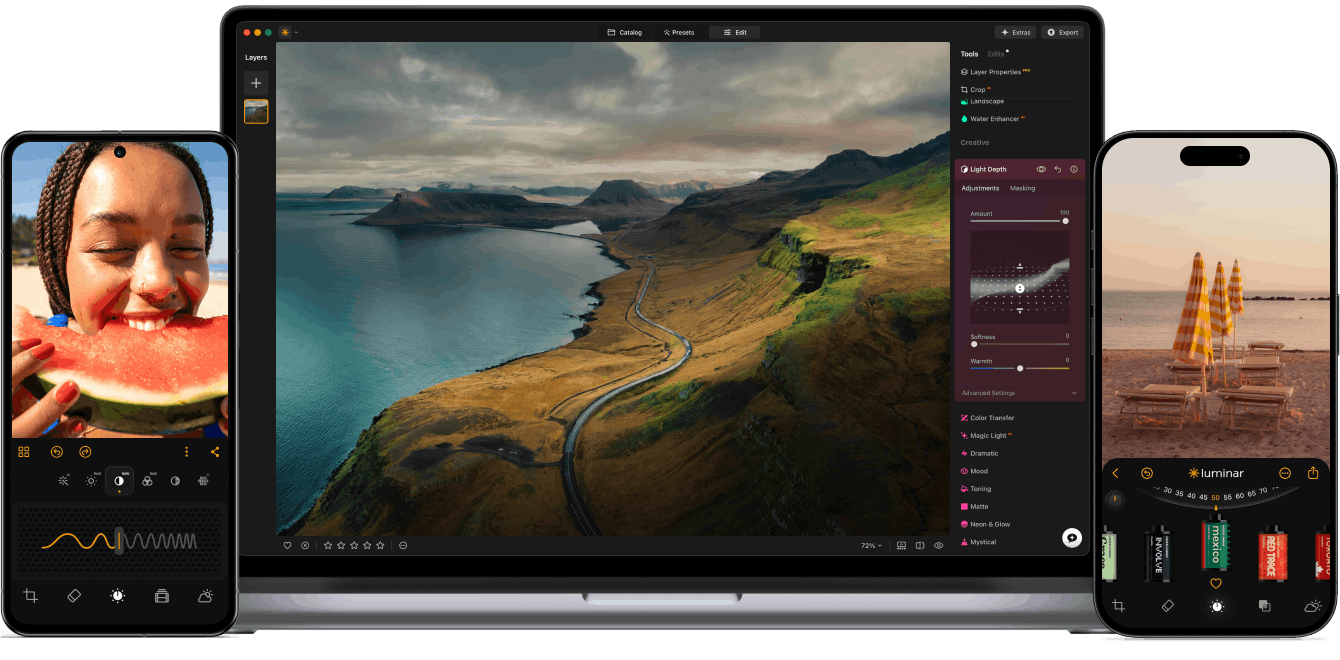
Luminar Neo combines over 24 AI-based tools and 100+ features for portrait retouching (skin and body enhancement), landscape editing (sky replacement, haze removal) and generative editing (object removal, scene expansion). Editing is non-destructive and layer-based, with RAW support, upscaling, HDR merge and panorama stitching.
It's sold as one-time perpetual licenses: Desktop Only (EUR 129), All Platforms (EUR 159, adds mobile and the upcoming web app), and Max (EUR 199, adds the Luminar Prime asset library). All three guarantee only one year of access to the newest AI tools and, for Max, the asset library, before an auto-renewal model kicks in. A web version is planned for Fall 2026 but wasn't available at research time.
Practical uses
Portrait deliveryRetouch skin and body with AI tools and replace the sky to deliver a finished photo without switching to Photoshop.
Landscape cleanupRemove an unwanted object from a shot and expand the scene with generative editing before exporting the final image.
Features & use cases
Generation image
Photo editing
Pros and cons. What Luminar Neo does well, and what to expect.
Pros
Large set of AI tools (24+) covers portrait, landscape and generative editing in one app.
Non-destructive, layer-based editing with RAW support, upscaling, HDR merge and panorama stitching.
Cons
Prices are only confirmed in EUR; a US-region USD price list wasn't reachable during research.
The perpetual license only guarantees one year of access to the newest AI tools, so staying current likely needs renewal.
When it makes sense. Keep Luminar Neo, or challenge it?
Keep if
You want an all-in-one AI photo editor with a perpetual license instead of a recurring monthly subscription.
Challenge if
You need a web-based version right now, since Luminar on Web is not yet available.
Our verdict. What to know about Luminar Neo.
Why this verdict
Average
Added value
A one-time EUR 129 to 199 perpetual license against 24+ AI tools and no recurring fee is a reasonable value case versus subscription-only competitors, though continued access to new AI features needs periodic renewal.
Simplicity
Neutral score: time needed to reach a first useful edit is not covered by the collected sources.
Fit for purpose
Neutral score: the product page lists portrait, landscape and generative editing tools, but nothing in the collected sources confirms results hold up without manual touch-ups.
Performance
24+ AI tools and 100+ features spanning portrait, landscape and generative editing, plus RAW, HDR and panorama support, is a broad set for a photo editor.
Reversibility
Neutral score: export formats and data portability if the license isn't renewed are not described in the collected sources.