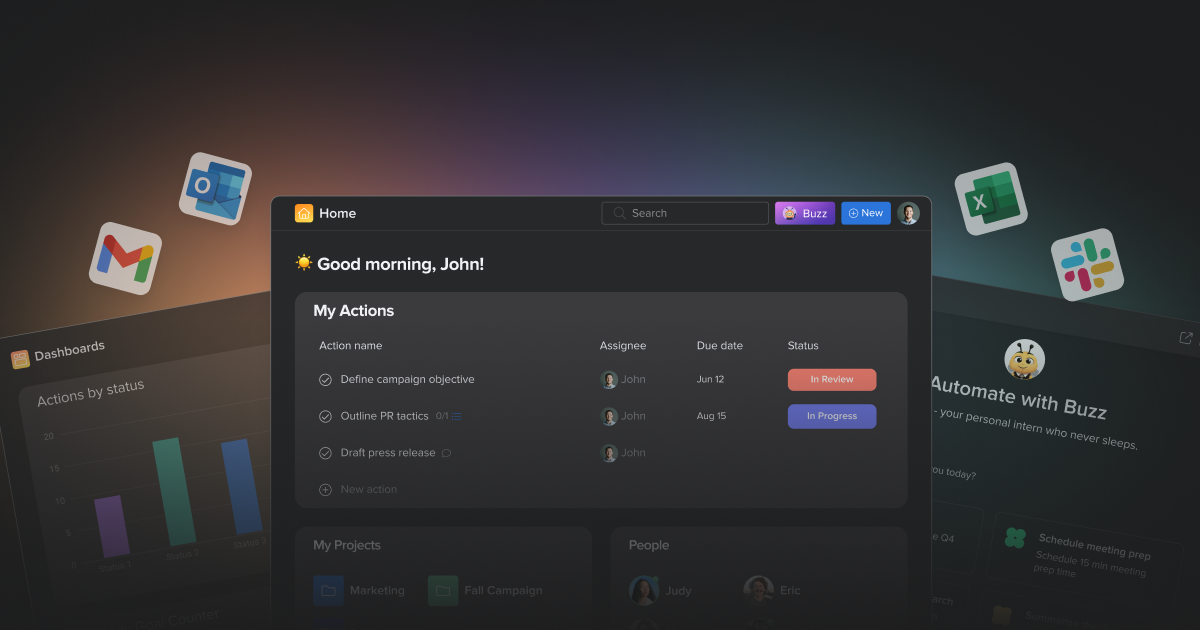
Hive suits teams managing multiple projects; for a single simple project, lighter tools suffice.
About
In practice. What you can do with Hive.
Hive combines several project views (Gantt, Kanban, calendar), built-in chat, and an AI assistant (Buzz) that answers questions using real workspace data, with unlimited file storage even on entry-level paid plans.
The classic trade-off of all-in-one tools: several useful features (approvals, resource management, advanced time tracking) are separate paid add-ons, making the final budget hard to predict precisely.
Practical uses
Manage project portfolioOverview.
Automate repetitive tasks via workflows.
Collaborate on creative projectsProofing.
Features & use cases
Project management
Pros and cons. What Hive does well, and what to expect.
Pros
Multiple flexible views for different workflows.
Powerful AI for tracking and automations.
Generous free tier without feature limits.
Integrated chat and notes for collaboration.
Proofing for creative teams.
Cons
Can be complex for beginners.
Many features = many options.
Initial setup can take time.
When it makes sense. Keep Hive, or challenge it?
Keep if
You manage multiple projects in parallel.
You want flexible views (Gantt, Kanban, etc).
Hive becomes worthwhile when
+You use it at least once a week
+The monthly cost ($5) is small next to the time it saves you
Challenge if
You're looking for a hyper-simple, lightweight tool.
You have a very small team (< 3).
Hive becomes too expensive when
−You use it less than once a month
−A simple free version or a tool already in your stack would do
Our verdict. What to know about Hive.
Why this verdict
Great
Hive is fairly easy to replace with an alternative, a free tier to test before paying, clearly documented use cases.