My stack

    FigJam

    Collaborative digital whiteboard by Figma for brainstorming, team alignment, and planning. Included free with all Figma plans, no additional cost.

    Visit website
    ToolTrim verdict3.8/ 5Great

    FigJam dominates if you're on Figma already. Otherwise, free Excalidraw may suffice.

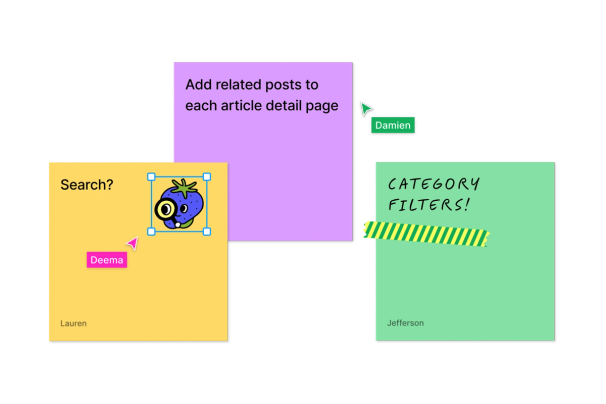
    FigJam, preview 1
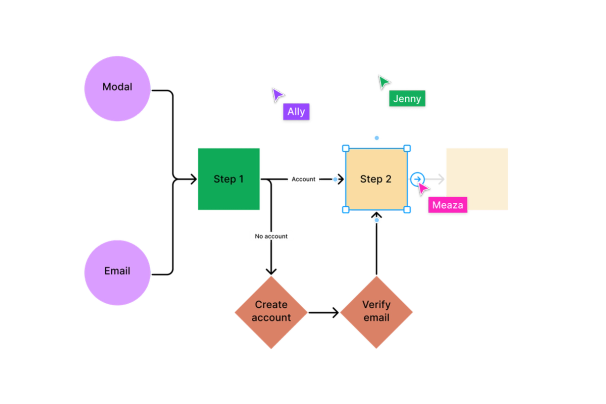
    FigJam, preview 2
    1 / 2
    About

    In practice. What you can do with FigJam.

    Collaborative digital whiteboard by Figma for brainstorming, team alignment, and planning. Included free with all Figma plans, no additional cost.

    Key strengths: Included at no extra cost with Figma.; Seamless integration with Figma designs and tools (Asana, Jira).; Rich templates and AI to auto-generate diagrams.; Native audio collaboration and expressive reactions..

    FigJam dominates if you're on Figma already. Otherwise, free Excalidraw may suffice.

    Practical uses

    • Brainstorm before starting a Figma design.
    • Retros and agile planning.
    • Facilitate strategy meetings.
    • Quick mind maps and wireframes.

    Features & use cases

    Collaboration
    Brainstorming
    Brief
    Documentation
    Moodboard
    References

    + 1 more features

    Pros and cons. What FigJam does well, and what to expect.

    Pros

    • Included at no extra cost with Figma.
    • Seamless integration with Figma designs and tools (Asana, Jira).
    • Rich templates and AI to auto-generate diagrams.
    • Native audio collaboration and expressive reactions.

    Cons

    • Requires a Figma account for full access.
    • Less freedom in drawing style than Excalidraw.
    • Costs through Figma Pro or Org subscription.

    When it makes sense. Keep FigJam, or challenge it?

    Keep if

    • You're already using Figma as a team.
    • You want a whiteboard with rich templates and AI features.
    FigJam becomes worthwhile when
    • You use it at least once a week
    • The monthly cost ($5) is small next to the time it saves you

    Challenge if

    • You're looking for a standalone free whiteboard (use Excalidraw).
    • You don't need Figma/Asana/Jira integration.
    FigJam becomes too expensive when
    • You use it less than once a month
    • A simple free version or a tool already in your stack would do

    Pricing. What does FigJam cost ?

    This tool is included in Figma. See pricing and plans on the suite's page.

    Free

    $0

    Free plan available.

    Paid plan

    €5/mo

    Paid plans available. See the official pricing source for details.

    Official pricingChecked on July 24, 2026

    Figma: the full suite

    FigJam is part of Figma. 9 tools are listed in the suite.

    Our verdict. What to know about FigJam.

    Why this verdict

    Great

    FigJam is fairly easy to replace with an alternative, a free tier to test before paying, clearly documented use cases.

    FigJam Summary

    Category
    design & prototyping tool.
    Price from
    $5/mo.
    Best for
    professionals.
    Avoid if
    You're looking for a standalone free whiteboard (use Excalidraw); You don't need Figma/Asana/Jira integration.
    ToolTrim verdict
    FigJam dominates if you're on Figma already.

    Frequently asked questions.

    What to know before choosing FigJam.

    What is FigJam used for?

    Collaborative digital whiteboard by Figma for brainstorming, team alignment, and planning. Included free with all Figma plans, no additional cost.

    How much does FigJam cost?

    FigJam costs €5/month. Price verified on 2026-07-24.

    Is FigJam suitable for beginners?

    FigJam suits most professionals. See the "Who is it for" section for details.

    Is FigJam worth the price?

    FigJam dominates if you're on Figma already. Otherwise, free Excalidraw may suffice.

    What are the best alternatives to FigJam?

    No direct alternative listed.

    FigJamFrom €5/mo
    Visit