    My stack

    Adobe Substance 3D

    Adobe Substance 3D bundles five apps for texturing, material creation and scene rendering, by subscription only with no perpetual license.

    Visit website
    ToolTrim verdict3.2/ 5Average

    Budget $59.99/month ($719.88/year) for the individual Collection plan, the cheapest tier that gives commercial access to all five apps.

    Adobe Substance 3D, preview 1
    About

    In practice. What you can do with Adobe Substance 3D.

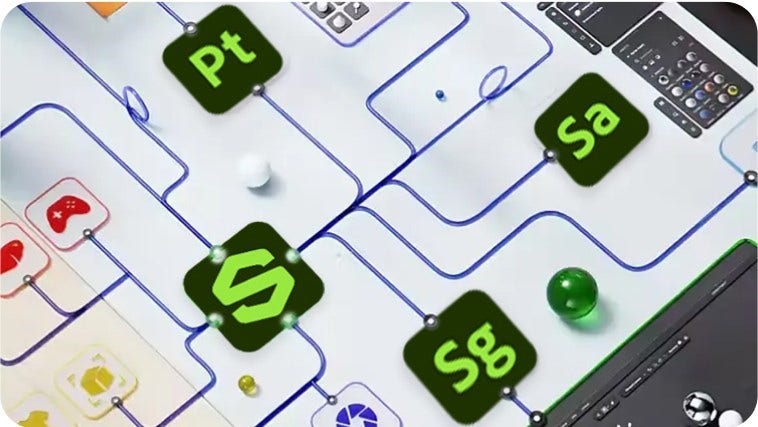
    Adobe Substance 3D bundles five apps (Painter, Designer, Sampler, Stager, Modeler) covering texturing, material creation, material capture and scene rendering, plus a library of over 20,000 premium 3D assets and materials.

    The individual plan starts at $59.99/month with 100GB of cloud storage, and access to every app stops if the subscription lapses since there is no perpetual license. A free plan exists but is restricted to students and teachers for non-commercial use. It fits a designer who needs the full texturing-to-rendering pipeline in one subscription.

    Practical uses

    • TexturingPaint and build materials for a 3D asset using Painter and the included library of premium materials.
    • Scene stagingAssemble textured assets and render a finished scene with Stager without leaving the Substance 3D suite.

    Features & use cases

    3D
    Texturing 3d
    Modelisation 3d
    Rendu 3d

    Pros and cons. What Adobe Substance 3D does well, and what to expect.

    Pros

    • Five specialized apps and a large premium asset library in one subscription.
    • Covers the full chain from texturing and material creation to scene rendering.

    Cons

    • Subscription-only: access to every app stops the moment billing stops, with no perpetual license.
    • Cloud storage is capped per plan (5GB free, 100GB individual), which can be tight for large 3D projects.

    When it makes sense. Keep Adobe Substance 3D, or challenge it?

    Keep if

    • A designer regularly needs texturing, material creation and rendering together and is comfortable with an ongoing subscription.
    Adobe Substance 3D becomes worthwhile when
    • You use it at least once a week
    • The monthly cost ($59.99) is small next to the time it saves you

    Challenge if

    • Only one piece of the pipeline is needed (texturing or rendering alone), where a single specialized tool costs less.
    Adobe Substance 3D becomes too expensive when
    • You use it less than once a month
    • A simple free version or a tool already in your stack would do

    Pricing. What does Adobe Substance 3D cost ?

    Substance 3D Collection

    ToolTrim reference price

    $59.99/mo

    Per user.

    • 100GB cloud storage; includes Painter, Designer, Sampler, Stager and 3D asset library.

    Substance 3D Collection for teams

    $119.99/mo

    Billed annually · Per user.

    • 1TB cloud storage per license, annual commitment billed monthly, exclusive business/admin features.

    Official pricingChecked on September 25, 2026

    Adobe Substance 3D's billing traps

    Before you pay

    No perpetual license: every app becomes unusable as soon as the subscription is cancelled.

    Adobe Creative Cloud All Apps: the full suite

    Adobe Substance 3D is part of Adobe Creative Cloud All Apps. 21 tools are listed in the suite.

    Alternatives. What could replace Adobe Substance 3D?

    Current

    Our verdict. What to know about Adobe Substance 3D.

    Why this verdict

    Average

    Added value

    A 20,000+ asset library and five integrated apps for one subscription can save buying separate tools, but the cost only pays off for someone who needs texturing, material creation and rendering together, not just one of them.

    Simplicity

    No first-result time is stated in the sources; the tool bundles five specialized apps, which implies some ramp-up to find the right one for a given task.

    Fit for purpose

    Delivers the announced texturing, material creation, capture and rendering workflow across the five bundled apps as described.

    Performance

    Bundles five specialized apps (Painter, Designer, Sampler, Stager, Modeler) plus a 20,000+ asset library, covering a broad span of the 3D texturing and material pipeline.

    Reversibility

    Access to all apps stops as soon as the subscription ends, with no perpetual license option, which limits what stays usable after leaving.

    Adobe Substance 3D Summary

    Category
    content creation tool.
    Price from
    $59.99/mo (Substance 3D Collection).
    Best for
    Designers and 3D artists who texture, create materials and render scenes as part of a game, product or visual design workflow.
    Avoid if
    Only one piece of the pipeline is needed (texturing or rendering alone), where a single specialized tool costs less.
    ToolTrim verdict
    Budget $59.99/month ($719.88/year) for the individual Collection plan, the cheapest tier that gives commercial access to all five apps.

    Frequently asked questions.

    What to know before choosing Adobe Substance 3D.

    What is Adobe Substance 3D used for?

    Adobe Substance 3D bundles five apps for texturing, material creation and scene rendering, by subscription only with no perpetual license.

    How much does Adobe Substance 3D cost?

    Adobe Substance 3D costs $59.99/month (Substance 3D Collection plan). Price verified on 2026-09-25.

    Is Adobe Substance 3D suitable for beginners?

    Designers and 3D artists who texture, create materials and render scenes as part of a game, product or visual design workflow.

    Is Adobe Substance 3D worth the price?

    Budget $59.99/month ($719.88/year) for the individual Collection plan, the cheapest tier that gives commercial access to all five apps.

    What are the best alternatives to Adobe Substance 3D?

    The main alternatives to Adobe Substance 3D are: ZBrush, Houdini, Maxon One, Octane Render, Marmoset Toolbag.

    Adobe Substance 3DFrom $59.99/mo
    Visit