If you're not producing motion/VFX work at least a few times a month, the subscription cost and learning curve are hard to justify.
1 / 2
About
In practice. What you can do with Adobe After Effects.
After Effects is the industry-default tool for motion graphics, title animation and VFX compositing, used by freelancers and studios that need keyframe-precise control, a deep expressions engine, and a mature plugin ecosystem. It plugs directly into the rest of the Creative Cloud pipeline, which matters for anyone already cutting in Premiere Pro or designing in Illustrator or Photoshop.
That power comes at the cost of a genuinely steep learning curve and a subscription-only model: there is no permanent free tier, only a 7-day full-featured trial, and the standard plan is an annual commitment billed monthly rather than a flexible month-to-month subscription.
Projects live in a proprietary .aep format, so there is no clean path to export a complex composition into another tool if you decide to switch later.
Practical uses
Animating title sequences, lower thirds and Motion Graphics templates for video content.
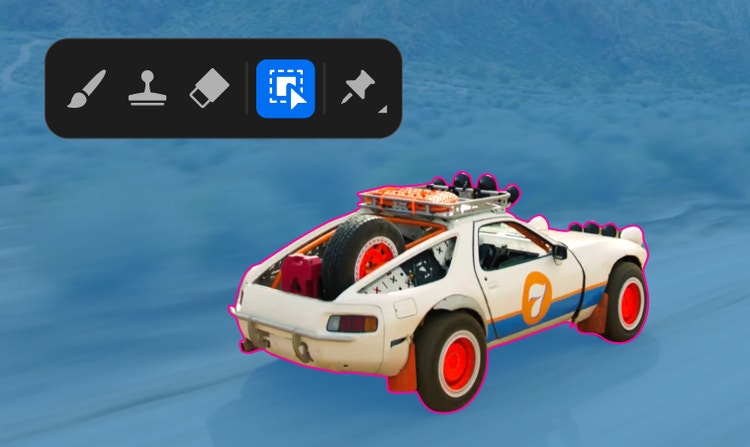
Compositing VFX shots (green screen keying, object removal, tracking) for short films or ads.
Building animated explainer videos and social media motion content for a brand or client.
Features & use cases
Animation 2d 3d
Compositing
Effets visuels
Motion design
Pros and cons. What Adobe After Effects does well, and what to expect.
Pros
Industry-standard capability for motion graphics, animation and VFX compositing.
Deep, mature ecosystem of plugins, templates and tutorials.
Tight integration with Premiere Pro, Photoshop and Illustrator for a full Adobe pipeline.
Cons
No permanent free plan, and the standard pricing is an annual commitment billed monthly, not month-to-month.
Steep learning curve that requires real time investment before becoming productive.
Proprietary project format with no clean export path to competing tools.
When it makes sense. Keep Adobe After Effects, or challenge it?
Keep if
You do recurring motion-graphics or VFX compositing work and already live in the Adobe ecosystem.
Adobe After Effects becomes worthwhile when
+You use it at least once a week
+The monthly cost ($22.99) is small next to the time it saves you
Challenge if
You need occasional, lightweight animation and don't want a 12-month billing commitment.
Adobe After Effects becomes too expensive when
−You use it less than once a month
−DaVinci Resolve (free) already covers the essentials for occasional use
Our verdict. What to know about Adobe After Effects.
Why this verdict
Average
Added value
Industry-standard motion/VFX toolset bundled with tight Creative Cloud integration, but the mandatory subscription with an annual commitment limits flexibility for occasional users.
Simplicity
Keyframe/expression-based workflow and a dense UI give After Effects a notoriously steep learning curve compared to simpler motion tools.
Fit for purpose
Once mastered, it is used daily by motion designers as the default tool for nearly any animation or compositing task in a video pipeline.
Performance
Deep compositing, 3D, expressions and plugin ecosystem (Red Giant, aescripts) make it one of the most capable motion/VFX applications on the market.
Reversibility
Projects are stored as proprietary .aep files with no clean cross-tool export; migrating a complex project to another tool means largely rebuilding it.