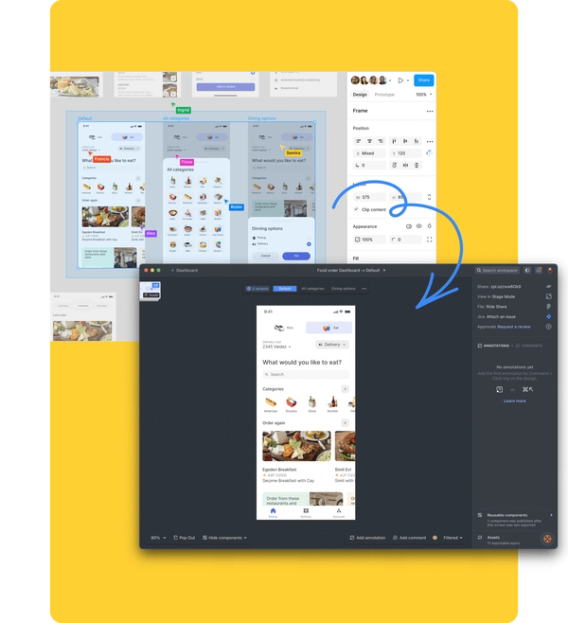
Design delivery platform for product teams. Zeplin documents designs, maps user flows, tracks versions, and generates code. Includes AI Design Review to scan off-system colors, spacing inconsistencies, typos, and accessibility issues.
Zeplin makes sense for structured product teams seeking a single source of truth; for solo designers or very small teams, the free tier or an alternative suffices.
1 / 2
About
In practice. What you can do with Zeplin.
Design delivery platform for product teams. Zeplin documents designs, maps user flows, tracks versions, and generates code. Includes AI Design Review to scan off-system colors, spacing inconsistencies, typos, and accessibility issues.
Key strengths: Complete design-dev handoff platform.; Automated AI Review very useful (accessibility, spacing).; Generous free tier to get started.; Git-inspired version control (very natural for devs).; Native integrations with standard tools (Figma, Jira, Storybook).; Design systems and component versioning support..
Zeplin makes sense for structured product teams seeking a single source of truth; for solo designers or very small teams, the free tier or an alternative suffices.
Practical uses
Document and deliver designs for a SaaS web app.
Create AI audit of designs before dev handoff.
Map user flows and product journeys.
Centralize design systems and reusable components.
Track design versions and history (Git-like).
Features & use cases
Collaboration dev
Handoff dev
Specs design
Pros and cons. What Zeplin does well, and what to expect.
Pros
Complete design-dev handoff platform.
Automated AI Review very useful (accessibility, spacing).
Generous free tier to get started.
Git-inspired version control (very natural for devs).
Native integrations with standard tools (Figma, Jira, Storybook).
Design systems and component versioning support.
Cons
Pricing depends on number of projects (can be expensive for multi-project teams).
The Advanced tier remains an investment for teams.
Enterprise tarifed on request (less transparent).
Learning curve to integrate into existing workflows.
When it makes sense. Keep Zeplin, or challenge it?
Keep if
You coordinate designs with developers and product managers.
You need a single source of truth for design documentation.
Zeplin becomes worthwhile when
+You use it at least once a week
+The monthly cost ($6.93) is small next to the time it saves you
Challenge if
You want a completely free solution.
You work solo and don't need collaboration.
Zeplin becomes too expensive when
−You use it less than once a month
−A simple free version or a tool already in your stack would do
Our verdict. What to know about Zeplin.
Why this verdict
Great
Zeplin is fairly easy to replace with an alternative, a free tier to test before paying, clearly documented use cases.