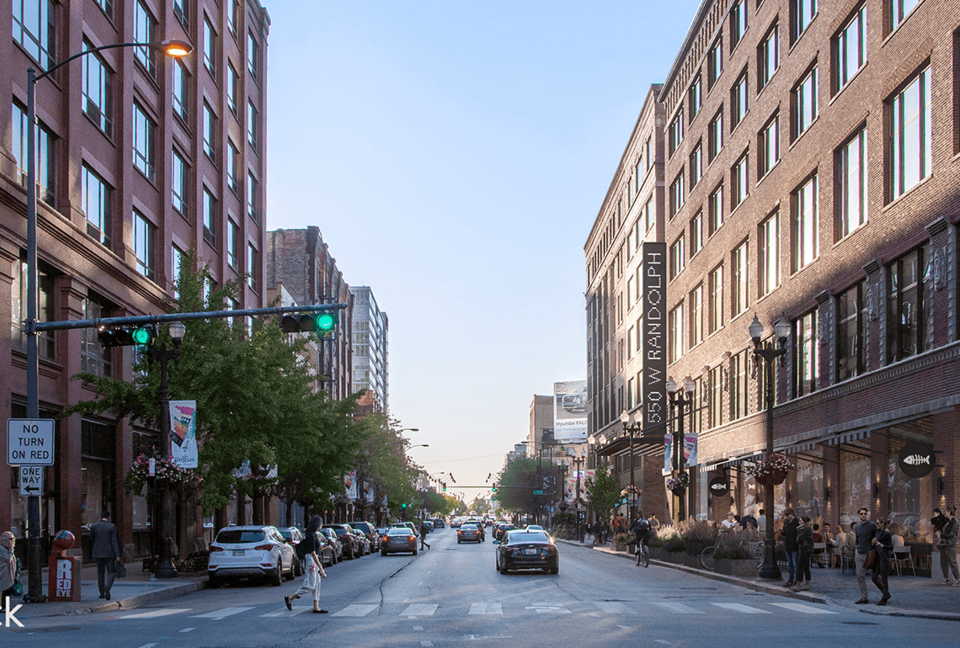
Emmy and Academy Award-winning photorealistic rendering engine developed by Chaos. Used for architecture, product design, VFX, and film studios. Available for Revit, SketchUp, Rhino, 3ds Max, Cinema 4D, and Blender.
V-Ray is essential for high-end professional rendering; for occasional needs, more affordable alternatives exist.
1 / 2
About
In practice. What you can do with V-Ray.
Emmy and Academy Award-winning photorealistic rendering engine developed by Chaos. Used for architecture, product design, VFX, and film studios. Available for Revit, SketchUp, Rhino, 3ds Max, Cinema 4D, and Blender.
Key strengths: World-renowned photorealistic technology (Emmy/Academy winner).; Multi-platform (Revit, SketchUp, Rhino, 3ds Max, Cinema 4D, Blender).; Built-in AI for ideation and material generation (Veras).; Support and continuous updates.; Comprehensive material library depending on plan..
V-Ray is essential for high-end professional rendering; for occasional needs, more affordable alternatives exist.
Practical uses
Create photorealistic renders for presenting a house or building.
Produce marketing images for a new product launch.
Design VFX effects for a film or TV production.
Generate high-resolution 3D content for a catalog or portfolio.
Features & use cases
Rendu 3d
Pros and cons. What V-Ray does well, and what to expect.