In practice. What you can do with Universe Clock Wipe.
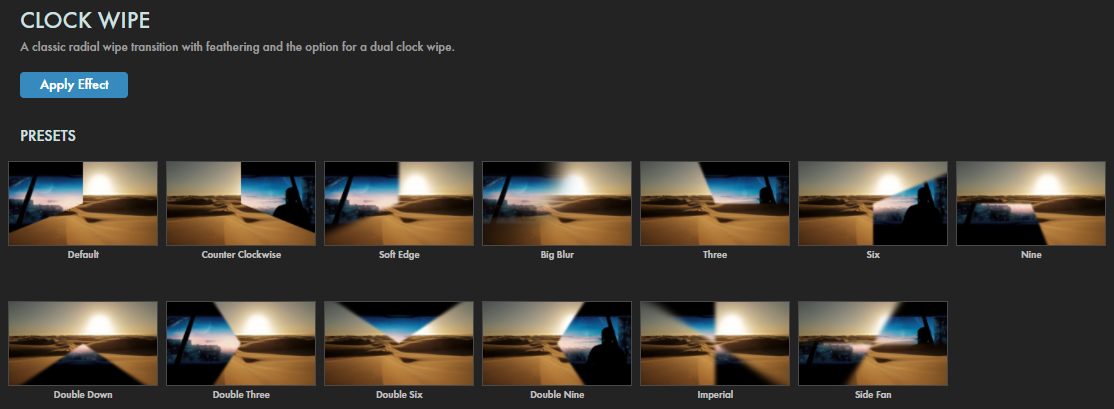
Universe Clock Wipe is a Universe postproduction plugin. Its purpose: reveal a shot with a radial wipe around the image centre.
Choose transition timing around your two shots. A conspicuous effect can support branded motion graphics but does not replace a coherent edit.
Access is through Universe, also included in Red Giant and Maxon One. This is not a standalone purchase priced at the cost of the suite. Check the plugin against your exact host version. Archive source material and a final render rather than relying only on a plugin-dependent project.
Practical uses
Reveal a shotA radial wipe around the image centre.
Features & use cases
Maxon effect:clock wipe
Universe effect:transitions
After effects plugin
The case for and against. What Universe Clock Wipe does well, and when it costs too much.
For. What works in its favour.
Reveal a shot with a radial wipe around the image centre.
Works within a compatible host workflow.
This function recurs in your projects and your suite licence includes it.
Against. What to plan for.
Suite licence required; no individual price confirmed.
Compatibility varies by plugin and host application.
Editable projects depend on plugin availability.
Our verdict. What to know about Universe Clock Wipe.
How the score breaks down
Added value
3/5
Reveal a shot with a radial wipe around the image centre. Documentary review of official sources; not a hands-on test.
Simplicity
4/5
Documented controls; usability not tested. Documentary review of official sources; not a hands-on test.
Fit for purpose
3/5
A specialised function, most relevant for recurring needs. Documentary review of official sources; not a hands-on test.
Performance
3/5
Controls assessed within this effect’s scope, not as a complete application. Documentary review of official sources; not a hands-on test.
Reversibility
2/5
A final render can be shared; editing the project may require the plugin and its licence. Documentary review of official sources; not a hands-on test.