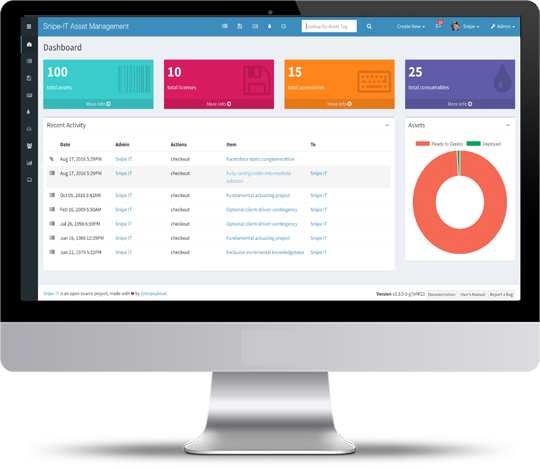
Snipe-IT for IT teams tracking hardware; for minimal use or cloud-only preference, paid alternatives are easier.
About
In practice. What you can do with Snipe IT.
Snipe-IT tracks hardware assets, software licenses and consumables (who has what, since when, warranty, depreciation value). The self-hosted version is free and open source, with no limit on users or assets; you handle the server, updates and backups yourself. The vendor-managed cloud bills a flat fee by asset volume, not per user.
Practical uses
IT hardware inventory (computers, servers, peripherals).
Tracking equipment checkout/checkin by user.
Asset maintenance and depreciation.
Inventory reports and audits.
Features & use cases
Consulting workflow
Pros and cons. What Snipe IT does well, and what to expect.
Pros
Completely free self-hosted (open-source).
Code transparency (no vendor lock-in).
Complete REST API for automation.
13 years history, 5960+ customers, 21M+ assets managed.
Optional cloud offering with a high SLA.
In-house 24/7 support (not offshore).
Cons
Self-hosting requires IT skills.
Limited integrations vs. cloud solutions.
No fancy modern UI (functional but classic).
Cloud is paid (no free cloud option).
When it makes sense. Keep Snipe IT, or challenge it?
Keep if
You track hardware and IT equipment.
You currently use Excel spreadsheets.
Snipe IT becomes worthwhile when
+You use it at least once a week
+The monthly cost ($39.99) is small next to the time it saves you
Challenge if
You have virtually no equipment to track.
You prefer cloud without maintenance.
Snipe IT becomes too expensive when
−You use it less than once a month
−A simple free version or a tool already in your stack would do
Pricing. What does Snipe IT cost ?
Free
$0
Self-hosted version free and open source, unlimited users and assets.
Basic Hosting
from €39.99/mo
Managed cloud: Basic Hosting $39.99/month or $399.99/year; Small Business $99.99/month or $999.99/year; Dedicated $249.99/month or $2,499.99/year. Unlimited users and assets on every plan.