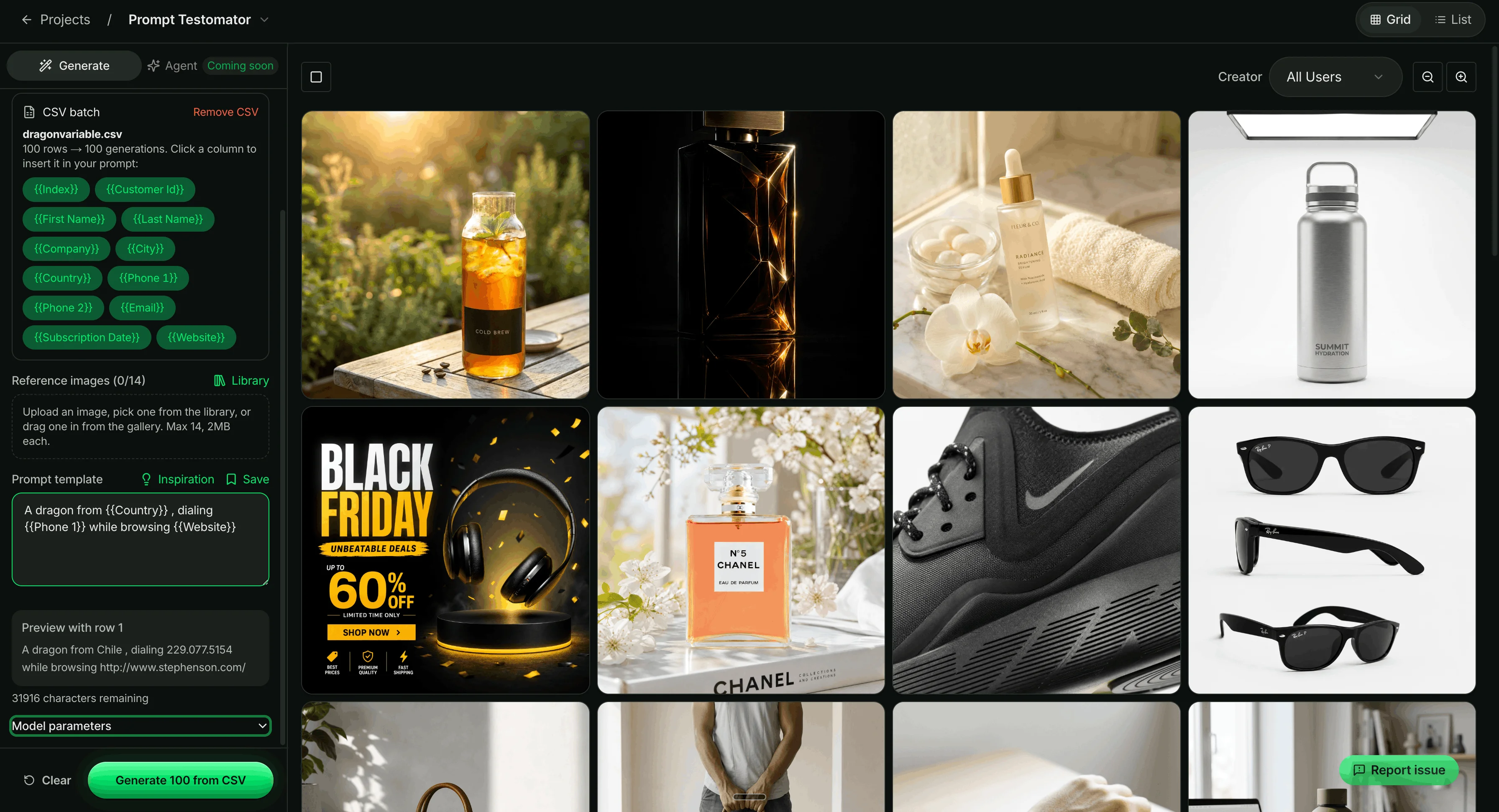
Seam UI brings image and video models into one workspace using your own API keys. The vendor currently lists 15 image models and 16 video models, available through direct provider connections or the Kie.ai aggregator. A batch can launch up to ten image variants in parallel; prompts, settings and references are saved as recipes in searchable projects. Video features include turning approved images into video, previewing, trimming, merging and extracting frames. CSV image batches are included from the Business plan. These capabilities and the model catalogue are vendor-listed and may change; ToolTrim has not tested render quality or video workflows.
The product is aimed at creators, freelancers and small teams that regularly produce visual batches and want to keep models, variants and files together instead of working across separate chat threads. Workspaces organize projects, preserve revisions, and support viewer or editor roles. The vendor says API keys are encrypted at rest and roles control their use; ToolTrim has not audited security or permissions.
Pricing has two parts: a one-time lifetime Seam UI licence, then generation charges billed directly by providers through your API keys, with no markup according to the vendor. The advertised trial lasts seven days and requires no card. Listed prices are USD 99 for Indie, USD 199 for Business and USD 249 for Scale. Plans include 500 GB and one seat, 1 TB and five seats, then 2 TB and twenty seats respectively; they also differ in CSV batches and prompt-history duration. API costs remain variable and are not included in the licence.
The official page estimates that at 600 images per month, a manual workflow would take 13 hours of attention compared with 3 hours in Seam UI, or 10 hours saved. This is the vendor's simulation, based on 1.3 minutes of manual work per kept image versus 0.3 minutes in a batch; model generation time is excluded. It is not an independent ToolTrim measurement, and actual results depend on volume, selection rate and workflow.
During the trial, test a representative batch, revision recovery and file exports. Calculate the licence and model charges separately using your usual providers, then check whether the storage and history limits fit your work.
Practical uses
Produce image variants for a campaign.
Keep reusable prompt recipes across a team.
Compare models within one project.
Features & use cases
Ai image generation
Ai video generation
The case for and against. What Seam UI does well, and when it costs too much.
For. What works in its favour.
Up to ten parallel image variants and reusable prompt recipes.
Image and video models together in projects with revisions preserved.
No-renewal licence; model charges are separate and billed by providers.
You prefer a one-time workspace licence with separate API spending.
Against. What to plan for.
API keys and model billing need separate management.
Total cost varies by model and volume.
Output quality and portability not tested by ToolTrim.
You only generate a few assets occasionally.
Our verdict. What to know about Seam UI.
How the score breaks down
Verdict sourcesseamui.com, October 7, 2026.
Added value
3/5
The vendor's simulation estimates 10 hours saved monthly at 600 images using its own assumptions; ToolTrim has not measured this. API charges remain extra.
Simplicity
3/5
Batches, projects and recipes reduce repetitive steps; API-key setup and provider billing add work. No hands-on ToolTrim test.
Fit for purpose
3/5
Designed for recurring image and video production, with revisions and files organized by project; actual usage frequency is unmeasured.
Performance
4/5
15 image models, 16 video models and batches of up to ten parallel images are vendor-listed; output quality and reliability are untested.
Reversibility
3/5
The licence is one-time, but files and recipes are organized in the workspace; test recovery and export during the trial.