No verified paid-plan amount is available from the collected sources; check the current price on productioncrate.com before deciding.
About
In practice. What you can do with ProductionCrate.
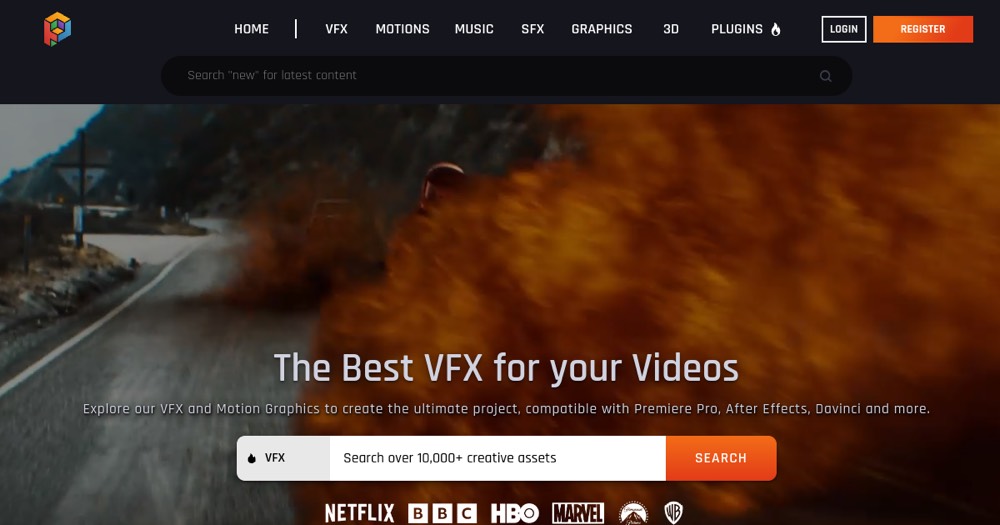
ProductionCrate is a stock asset library for video production, spanning VFX elements, sound effects and music, motion graphics and 3D models across sub-brand sites like SoundCrate and RenderCrate. The free Sample tier lets you preview watermarked, limited-quality assets before buying.
Exact paid plan prices could not be confirmed from the official pricing pages, which render dynamically and were not reachable as static content in this session; third-party trackers mention figures around $19-49/month for Pro tiers, unverified. It fits solo video editors and small teams who want ready-made assets instead of producing VFX or sound from scratch.
Practical uses
PreviewBrowse the free Sample tier to test watermarked VFX and sound assets before committing to a paid plan.
DeliveryDownload full-resolution, unwatermarked assets on a paid plan to finish a client video on deadline.
Features & use cases
Stock media
Pros and cons. What ProductionCrate does well, and what to expect.
Pros
Free Sample tier lets you preview assets before paying anything.
Catalogue spans several asset categories through dedicated sub-brand sites.
Cons
Paid plan prices are not published on an easily reachable page, making comparison shopping harder.
Free assets carry watermarks and cannot be used for finished, commercial work.
When it makes sense. Keep ProductionCrate, or challenge it?
Keep if
You regularly need stock VFX, sound or motion graphics assets and have confirmed the current paid price directly on the vendor's site.
Challenge if
You need a clear, published price before committing, since the official pricing page did not return one in this review.
Our verdict. What to know about ProductionCrate.
Why this verdict
Average
Added value
Neutral score: actual paid plan prices could not be confirmed from the official site, so cost-versus-benefit cannot be judged from the collected sources.
Simplicity
Neutral score: time to find and download a usable asset is not covered by the collected sources.
Fit for purpose
Neutral score: the free tier's sample/watermarked assets confirm the library works, but full paid delivery could not be verified against a reachable pricing page.
Performance
Neutral score: catalogue breadth (VFX, sound, graphics, 3D across sub-brand sites) is confirmed, but depth versus competitors is not covered by the collected sources.
Reversibility
Neutral score: portability of downloaded assets or account data is not covered by the collected sources.