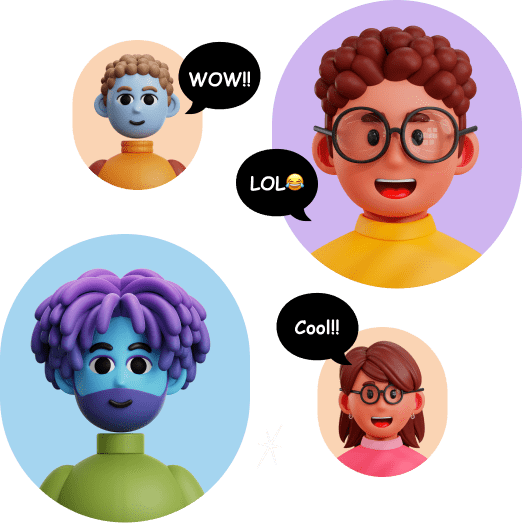
Pikkovia, sometimes incorrectly written as PikkoVia, is a web marketplace for 3D icons and illustrations aimed in particular at UI designers. It offers PNG assets and 3D files, including Blender files in some packs.
Add Pikkovia when its packs genuinely match your visual direction; otherwise, a broader and better documented library will be easier to standardize.
1 / 2
About
In practice. What you can do with Pikkovia.
Pikkovia, sometimes incorrectly written as PikkoVia, is a web marketplace for 3D icons and illustrations aimed in particular at UI designers. It offers PNG assets and 3D files, including Blender files in some packs.
Key strengths: Assets are ready for interfaces and marketing materials.; Raster and 3D formats are available depending on the pack.; The catalog is organized by theme.; The daily allowance helps test quality before purchase..
Add Pikkovia when its packs genuinely match your visual direction; otherwise, a broader and better documented library will be easier to standardize.
Practical uses
Illustrate an interfaceA consistent 3D icon set.
Prepare product presentation visuals.
Customize an asset supplied as a Blender file.
Features & use cases
Visual creation
Creative assets
Social media
Pros and cons. What Pikkovia does well, and what to expect.
Pros
Assets are ready for interfaces and marketing materials.
Raster and 3D formats are available depending on the pack.
The catalog is organized by theme.
The daily allowance helps test quality before purchase.
Cons
Current pricing is not clearly presented on the main site.
Available formats vary between assets.
The catalog is more specialized than a large 3D marketplace.
When it makes sense. Keep Pikkovia, or challenge it?
Keep if
You need ready-made 3D illustrations for an interface or presentation.
You want to test several assets for free before buying a pack.
Pikkovia becomes worthwhile when
+You use it at least once a week
+The monthly cost ($50) is small next to the time it saves you
Challenge if
You require a centralized pricing grid before browsing.
You need a complete 3D modeling or animation platform.
Pikkovia becomes too expensive when
−You use it less than once a month
−Canva (free) already covers the essentials for occasional use
Our verdict. What to know about Pikkovia.
Why this verdict
Great
Pikkovia is fairly easy to replace with an alternative, a free tier to test before paying, clearly documented use cases.