Practical uses
- Test Core Web Vitals and initial page performance.
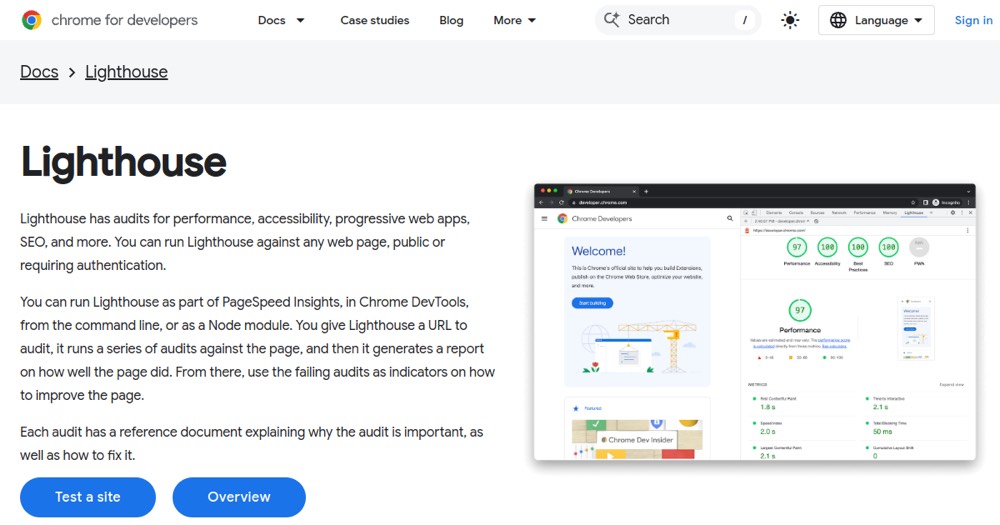
- Verify accessibility (contrast, keyboard nav, labels).
- Check basic SEO (meta tags, mobile-friendly, structured data).
- Get optimization checklist for a development sprint.
Pros and cons
What Lighthouse does especially well — and the limits to anticipate.
Pros
- Completely free and official (Google Chrome).
- No installation required (Chrome DevTools or PageSpeed Insights).
- Complete audits (performance, accessibility, SEO, best practices).
- Actionable and documented recommendations.
- Available as CLI and Node module for CI/CD.
- New audit modes (Timespan, Snapshot) for varied scenarios.
- AI Assistance built into Chrome DevTools 2026.
Cons
- Point-in-time only (no continuous monitoring).
- Page audits only (no complex user workflows).
- Occasional false positives (e.g., on externalized images).
- Less deep than manual Chrome Performance profiling.
Lighthouse: when it makes sense.
Lighthouse is essential for every website owner; free, official Google tool, it's the first step to optimize performance, accessibility, and SEO.
Keep if
You optimize web site performance and accessibility.. You want a free diagnostic tool with no installation (PageSpeed Insights).
Challenge if
You do continuous performance monitoring (Lighthouse is point-in-time; use Sentry, DataDog for continuous).. You mainly test complex user interactions (Lighthouse audits the page, not workflows).