    Grammarly

    Your personal English writing assistant.

    Visit website
    Grammarly, preview 1
    ToolTrim verdict4.4/ 5Excellent

    Similar tools

    View all
    About

    Understanding Grammarly.

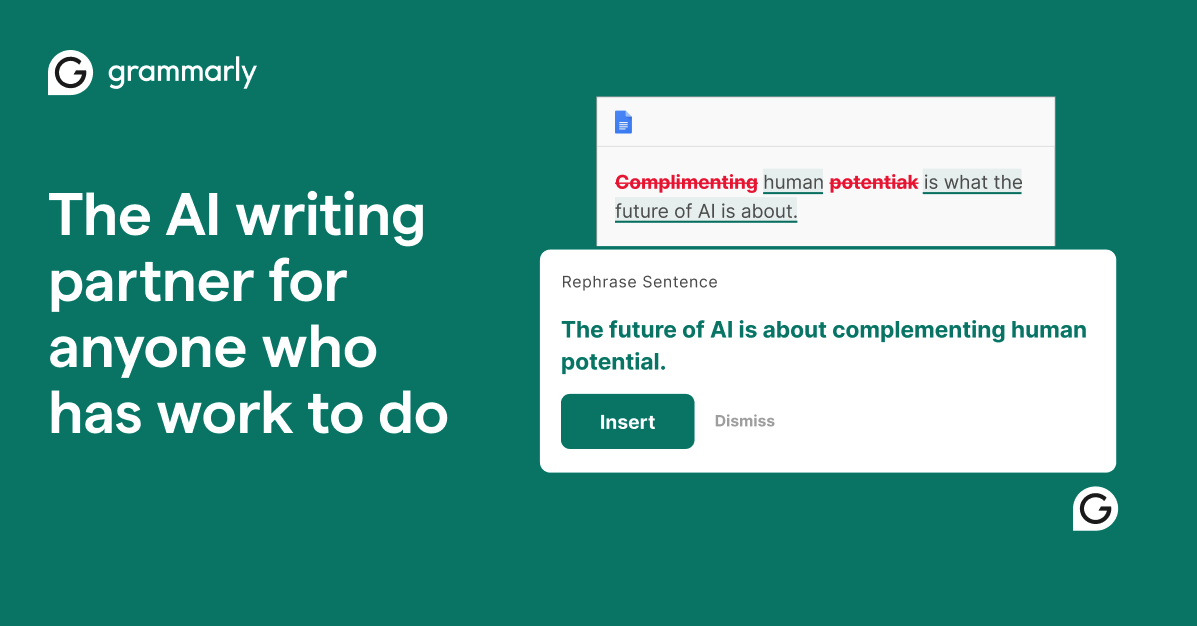
    Grammarly is the best-known English writing assistant. Plugged in as an extension in your browser, email or word processor, it corrects in real time well beyond spelling: grammar, phrasing, tone, clarity. For someone who writes in English without being a native, it's a safety net that prevents the kind of mistakes that stand out in a client email or a sales proposal.

    The free version covers basic corrections. The Premium plan, around $12/month annually ($30 monthly), unlocks style, tone and rewrite suggestions, plus AI features. Team plans also exist.

    Who it's for: people writing professional English daily. Two limits to know: it's mainly relevant in English (French is weak), and a general AI assistant like ChatGPT or Claude now does a large part of the proofreading and rewriting, for free or cheaper. Grammarly keeps the edge of real-time correction built in everywhere, with no copy-paste.

    Practical uses

    • Proofread English emails and documents.
    • Adjust the tone of a professional message.
    • Rewrite clunky sentencesAI.

    Features & use cases

    Amelioration style
    Anglais professionnel
    Correction texte

    Pros and cons

    What Grammarly does especially well and the limits to anticipate.

    Pros

    • Real-time corrections in most apps.
    • Useful tone and clarity suggestions.
    • Free version is already usable.
    • Generative-AI features on paid plans.

    Cons

    • English-focused, limited other languages.
    • Advanced features locked behind the paid plan.
    • Extension accesses typed content.

    Grammarly: when it makes sense.

    Grammarly fits heavy professional English writing; for another language or occasional needs, a native checker is enough.

    Keep if

    You write a lot in English every day.. You want real-time corrections and tone smoothing.

    Grammarly becomes worthwhile when
    • You use it at least once a week
    • The monthly cost ($30) is small next to the time it saves you

    Challenge if

    You mostly write in a language Grammarly doesn't cover.. Your word processor's built-in checker is enough.

    Grammarly becomes too expensive when
    • You use it less than once a month
    • ChatGPT (free) already covers the essentials for occasional use

    How much does Grammarly cost?

    Free$0

    Free (basic grammar and spelling corrections)

    Pro$30/mo

    Premium at ~$12/month annually ($30 monthly), team plans above

    Official pricing sourceverified on

    Grammarly's real cost by team size

    TeamPlanMonthly costAnnual costVerdict
    SoloPro$30$360Limited cost
    3 peoplePro$90$1,080Limited cost
    10 peoplePro$300$3,600Worth a budget check
    50 peoplePro$1,500$18,000Serious budget decision

    Estimate calculated from the displayed per-user price - check the official page for monthly/annual billing and any current promotions.

    Best alternatives to Grammarly.

    Current
    The AI angle

    Grammarly vs AI

    AI seriously threatens it
    Go further with AI

    Grammarly itself packed in generative AI: rewriting, tone adjustment, full-sentence suggestions. But the real issue is elsewhere: a general assistant like ChatGPT or Claude does everything Grammarly does and much more (rewrite, translate, summarize, adapt tone, explain a rule), often for free.

    Can AI replace it?

    Let us be honest: for most uses, a general AI replaces Grammarly. Where Grammarly keeps an edge is seamless integration everywhere you write (email, browser, Word), in real time, with no copy-paste. If that friction does not bother you, ChatGPT or Claude make the subscription hard to justify. Verdict: seriously threatened, worth keeping mainly for the comfort of real-time integration.

    The AIs that matter here

    Grammarly Summary

    Category
    productivity tool.
    Price from
    $30/mo (Pro).
    Best for
    freelancers and solopreneurs.
    Avoid if
    You mostly write in a language Grammarly doesn't cover.; Your word processor's built-in checker is enough..
    Alternatives
    ChatGPT, Claude.
    ToolTrim verdict
    Grammarly fits heavy professional English writing; for another language or occasional needs, a native checker is enough.

    Our verdict on Grammarly.

    Why this verdict

    Excellent

    Grammarly is fairly easy to replace with an alternative, a free tier to test before paying, clearly documented use cases.

    Tool FAQ

    Frequently asked questions about Grammarly

    Pricing, usage, alternatives, and context: useful answers before adding one more tool to your stack.

    What is Grammarly used for?

    Your personal English writing assistant.

    How much does Grammarly cost?

    Grammarly costs $30/month (Pro plan). Price verified on 2026-06-15.

    Is Grammarly suitable for beginners?

    Grammarly is particularly suited for freelancers and solopreneurs.

    Is Grammarly worth the price?

    Grammarly fits heavy professional English writing; for another language or occasional needs, a native checker is enough.

    What are the best alternatives to Grammarly?

    The main alternatives to Grammarly are: ChatGPT, Claude.

    Is there a free alternative to Grammarly?

    Yes, ChatGPT is a free alternative to Grammarly.