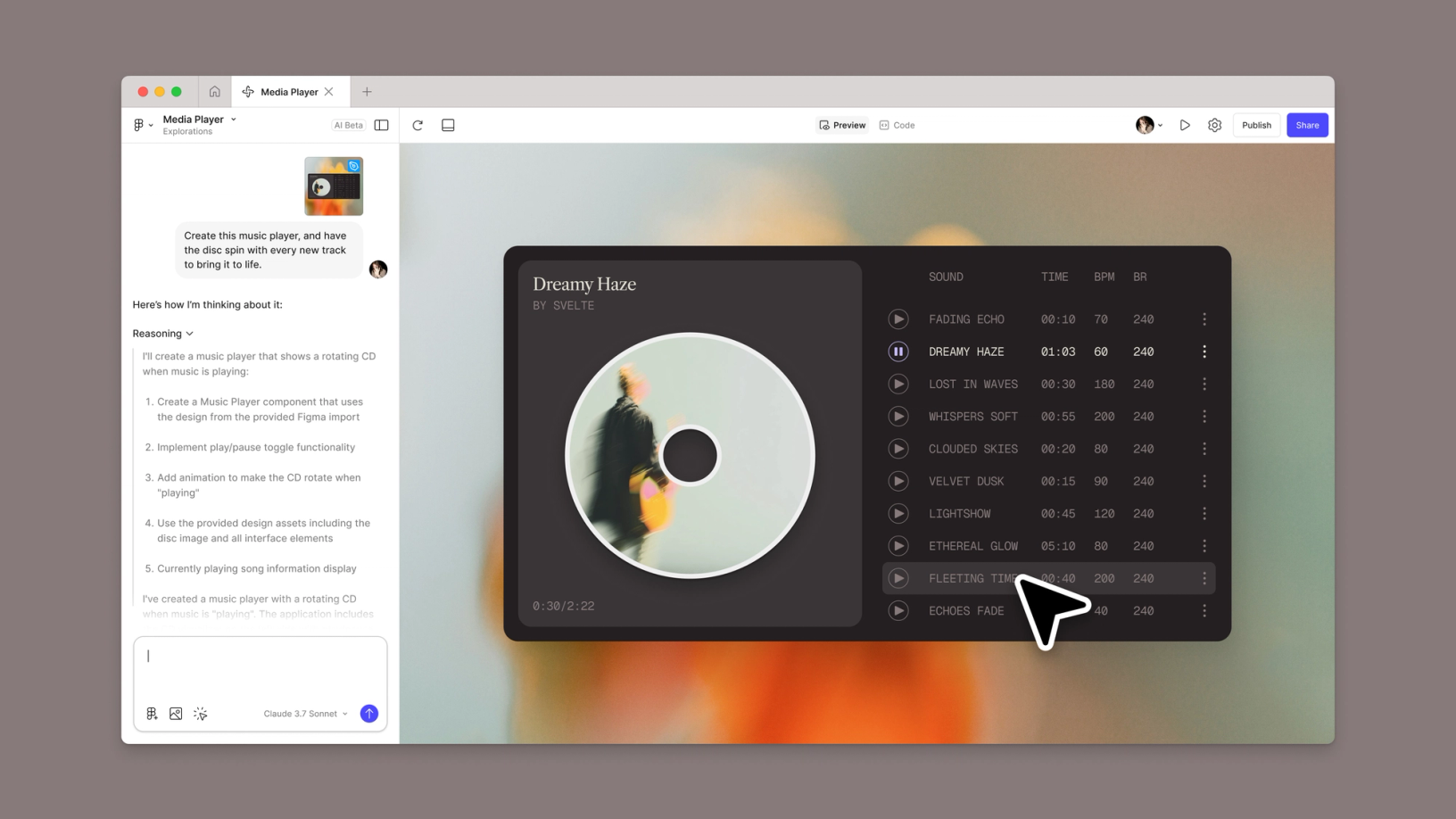
Prompt-driven Figma tool that turns an idea or an existing design into a functional prototype, interactive interface, or web app. It combines generation, code editing, publishing, and design-system context.
Add Figma Make when generation shortens the path from mockup to testable prototype while preserving design context.
1 / 2
About
In practice. What you can do with Figma Make.
Prompt-driven Figma tool that turns an idea or an existing design into a functional prototype, interactive interface, or web app. It combines generation, code editing, publishing, and design-system context.
Key strengths: Starts from existing designs and components.; Combines generation, editing, data, and publishing.; Lets non-technical roles test interactions.; Moves results back into Figma tools..
Add Figma Make when generation shortens the path from mockup to testable prototype while preserving design context.
Practical uses
Turn a mockup into a functional prototype.
Test an interactionData.
Build a proof of concept to share.
Features & use cases
Prototyping
Generation code
UI design
Pros and cons. What Figma Make does well, and what to expect.
Pros
Starts from existing designs and components.
Combines generation, editing, data, and publishing.
Lets non-technical roles test interactions.
Moves results back into Figma tools.
Cons
Generated code quality and maintainability require review.
Limits vary by seat, plan, and credits.
Free access restricts libraries and publishing.
When it makes sense. Keep Figma Make, or challenge it?
Keep if
You need to test an idea quickly from existing Figma designs.
Product, design, and engineering want to explore in one shared file.
Challenge if
You expect production software without code or architecture review.
Your design sources do not live in Figma.
Our verdict. What to know about Figma Make.
Why this verdict
Great
Figma Make is fairly easy to replace with an alternative, a free tier to test before paying, clearly documented use cases.