In practice. What you can do with Drone Ops Mission.
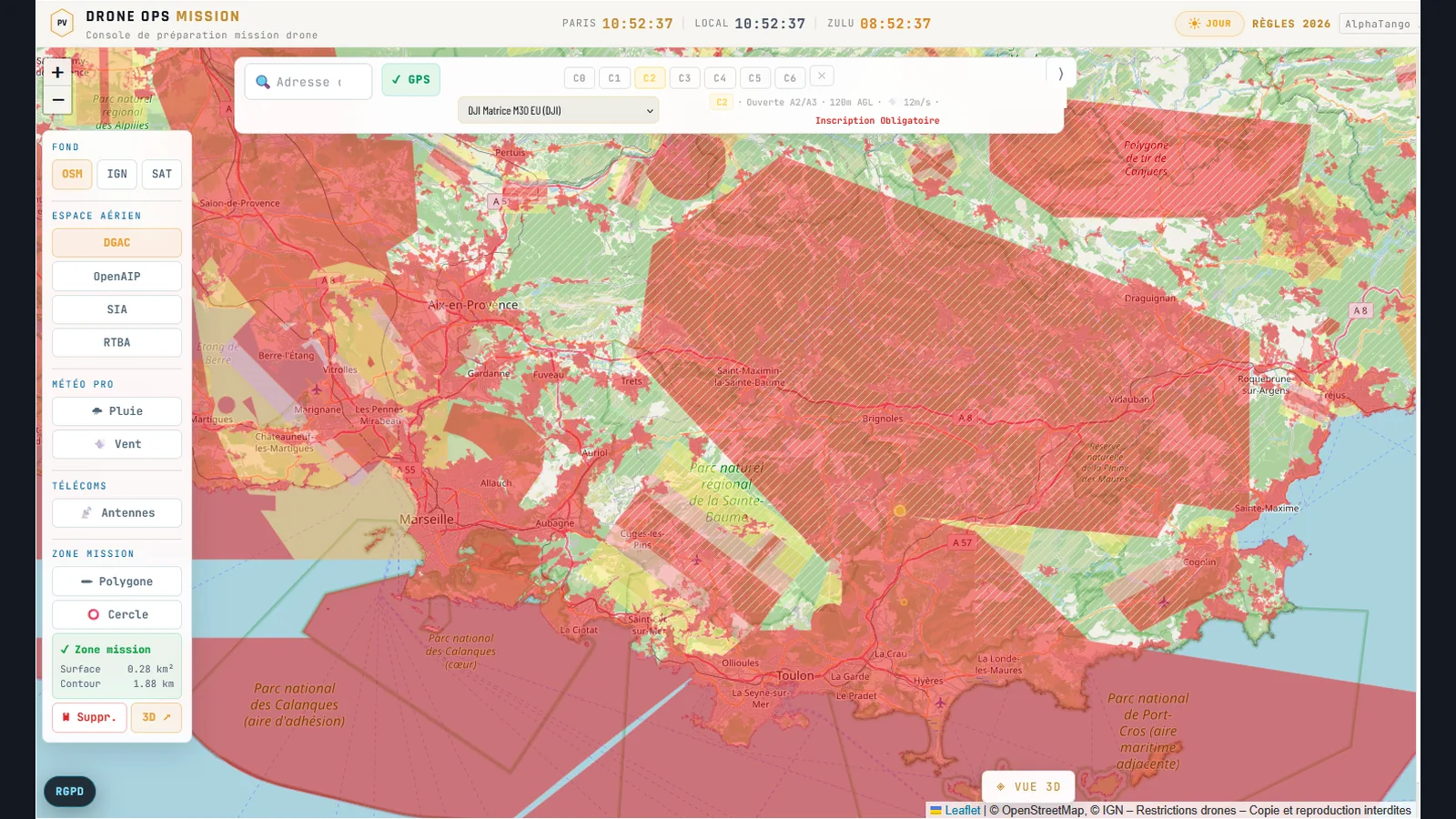
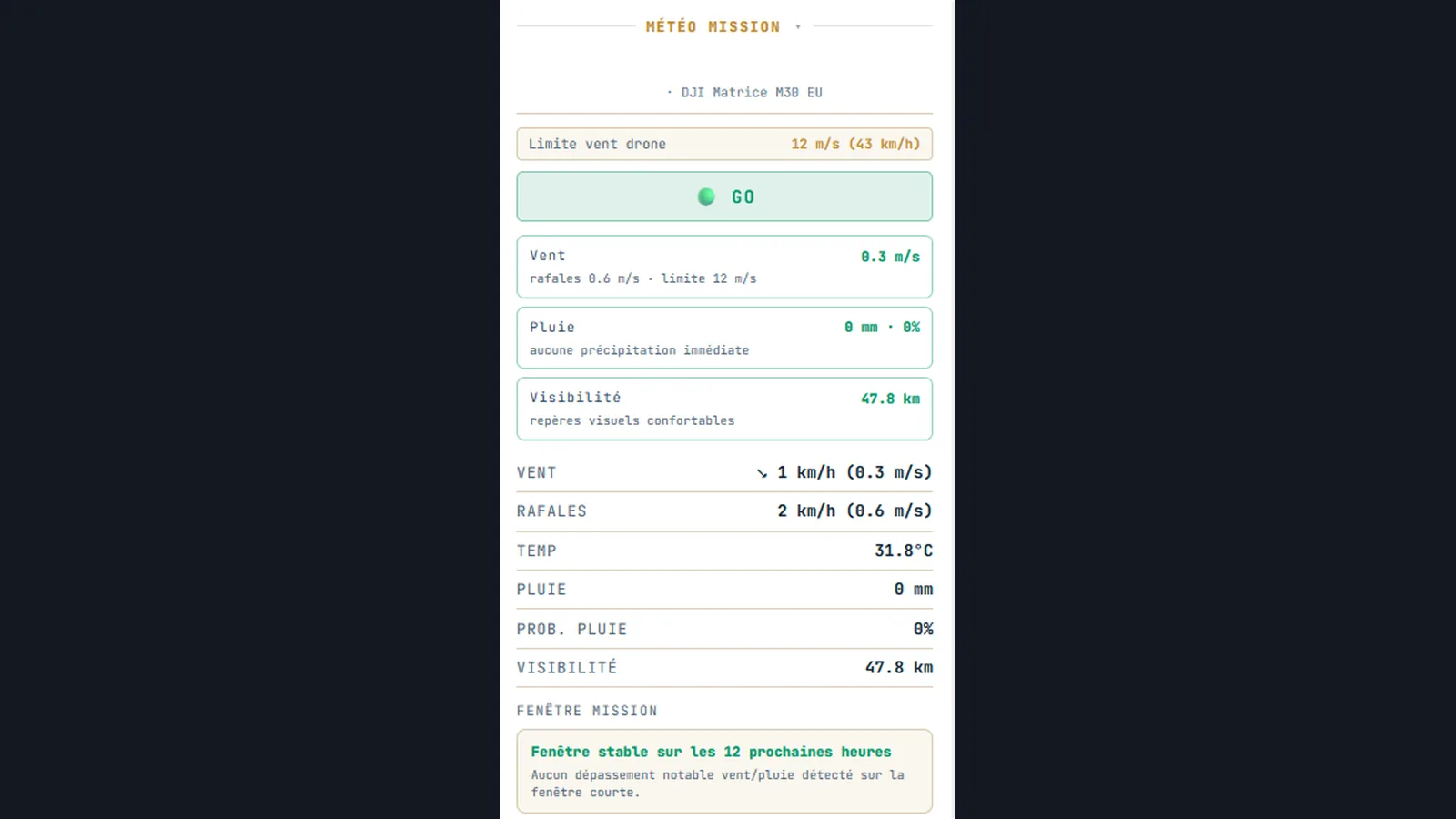
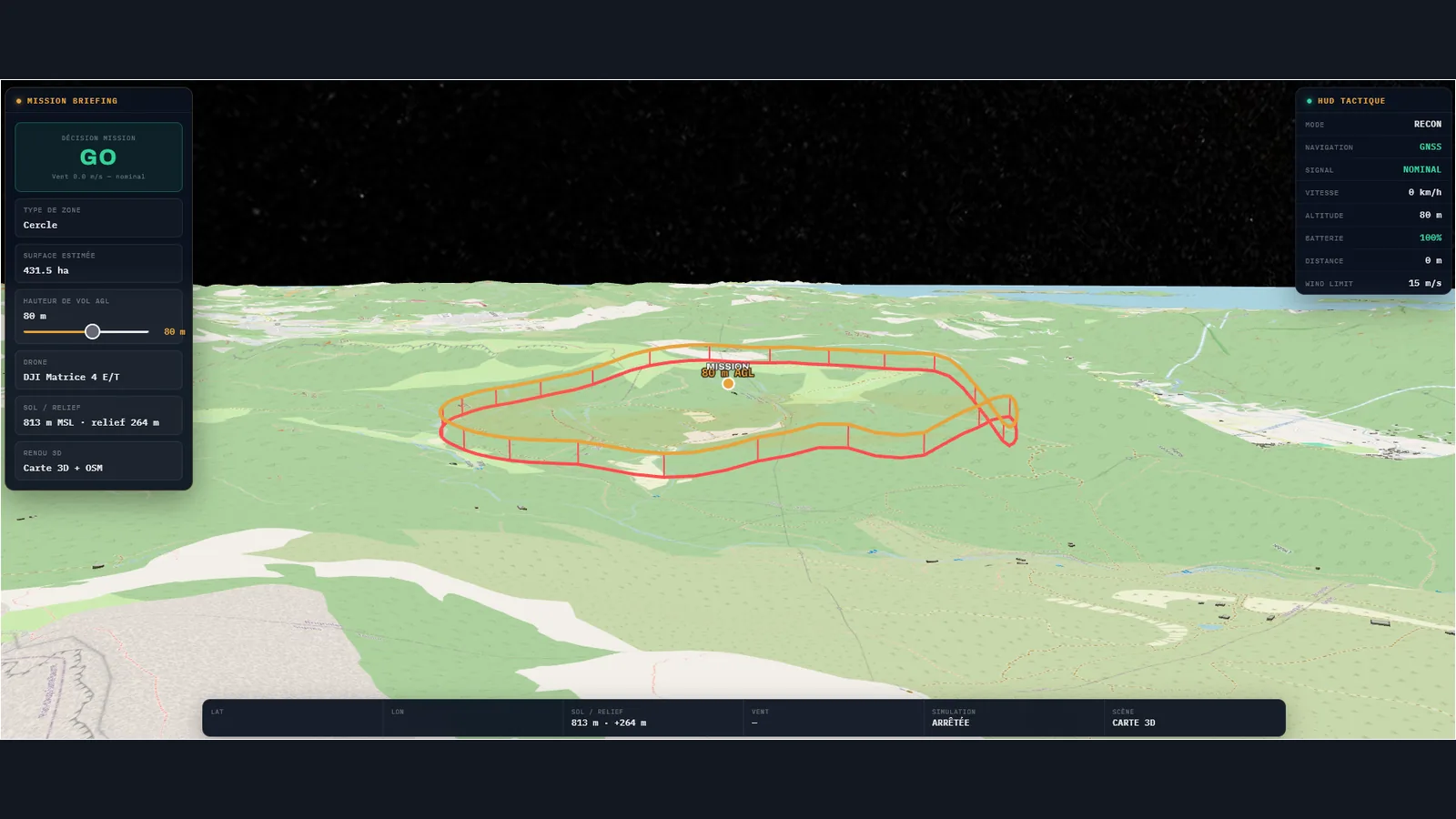
Drone Ops Mission brings the flight area, aeronautical map layers, weather and preflight constraints into one console. Pilots can draw a mission, inspect restrictions and, on Pro, compare forecast conditions with the selected drone's limits. Its GO/NO-GO briefing supports a decision; it is not permission to fly. Official publications, actual conditions on site and the pilot's responsibility remain decisive.
A Discovery account includes a map, basic DGAC layers and weather. Pro adds full SIA and RTBA layers, drone-specific briefing, 3D terrain, mission history and exports.
Practical uses
Draw a flight area and identify restrictions to verify before takeoff.
Compare a weather windowThe selected drone's limits.
Keep a mission briefing and preparation report.
The case for and against. What Drone Ops Mission does well, and when it costs too much.
For. What works in its favour.
Map, weather and airspace constraints combined in one mission workflow.
Pro weather briefing tailored to the selected drone's limits.
Mission history and exports advertised on Pro.
You need a recorded mission briefing and can verify each constraint against official publications.
Pays off from
13 minsaved a month
Drone Ops Mission costs $8.99/month. If your hour is worth $40, those 13 min cover it.
Against. What to plan for.
A GO/NO-GO recommendation is neither flight permission nor a final regulatory check.
Weather and airspace data can be incomplete or change before takeoff.
Advanced briefing and exports require Pro.
You only need an occasional map and do not benefit from Pro features.
Too expensive if
The free map and weather tools cover your occasional needs.
You expect a subscription to guarantee safety or grant regulatory permission.
Pricing. What does Drone Ops Mission cost ?
Free
$0
Free Discovery account after registration
Pro monthly
€8.99/mo
Pro: €8.99/month or €69/year, equivalent to €5.75/month billed annually
Our verdict. What to know about Drone Ops Mission.
How the score breaks down
Verdict sourcesdrone-ops-mission.fr, September 30, 2026.drone-ops-mission.fr/meteo-drone, September 30, 2026.
Added value
4/5
Aeronautical maps, weather and mission planning come together in one interface, so pilots can prepare a flight without juggling separate tools.
Simplicity
3/5
Flight preparation follows a three-step workflow, with the relevant information gathered in one place.
Fit for purpose
4/5
A clear three-step workflow covers the task: map the flight area, review the time slot against weather and restrictions, then archive the mission. Pro adds the drone-specific briefing.
Performance
4/5
Pro adds SIA and RTBA layers, drone-calibrated weather, 3D views and exports. The GO/NO-GO briefing supports flight preparation but is not flight authorization.
Reversibility
4/5
With Pro, missions and reports can be exported as CSV or PDF, so pilots can keep a copy outside the tool.
Drone pilots planning flights in France who still verify official sources before flying.
Avoid if
You expect automatic flight permission or a guarantee of compliance; You only need an occasional map and do not benefit from Pro features.
ToolTrim verdict
Try one real mission on Discovery, then compare the Pro briefing with official sources and your drone's limits before paying.
Frequently asked questions. What people ask about Drone Ops Mission.
What is Drone Ops Mission used for?
Plan drone flights with an aeronautical map, weather and a GO/NO-GO briefing.
How much does Drone Ops Mission cost?
Drone Ops Mission costs €8.99/month (Pro monthly plan). Price verified on September 30, 2026.
Is Drone Ops Mission suitable for beginners?
Drone pilots planning flights in France who still verify official sources before flying.
Is Drone Ops Mission worth the price?
Try one real mission on Discovery, then compare the Pro briefing with official sources and your drone's limits before paying. Never launch based only on a GO indicator.
What are the best alternatives to Drone Ops Mission?