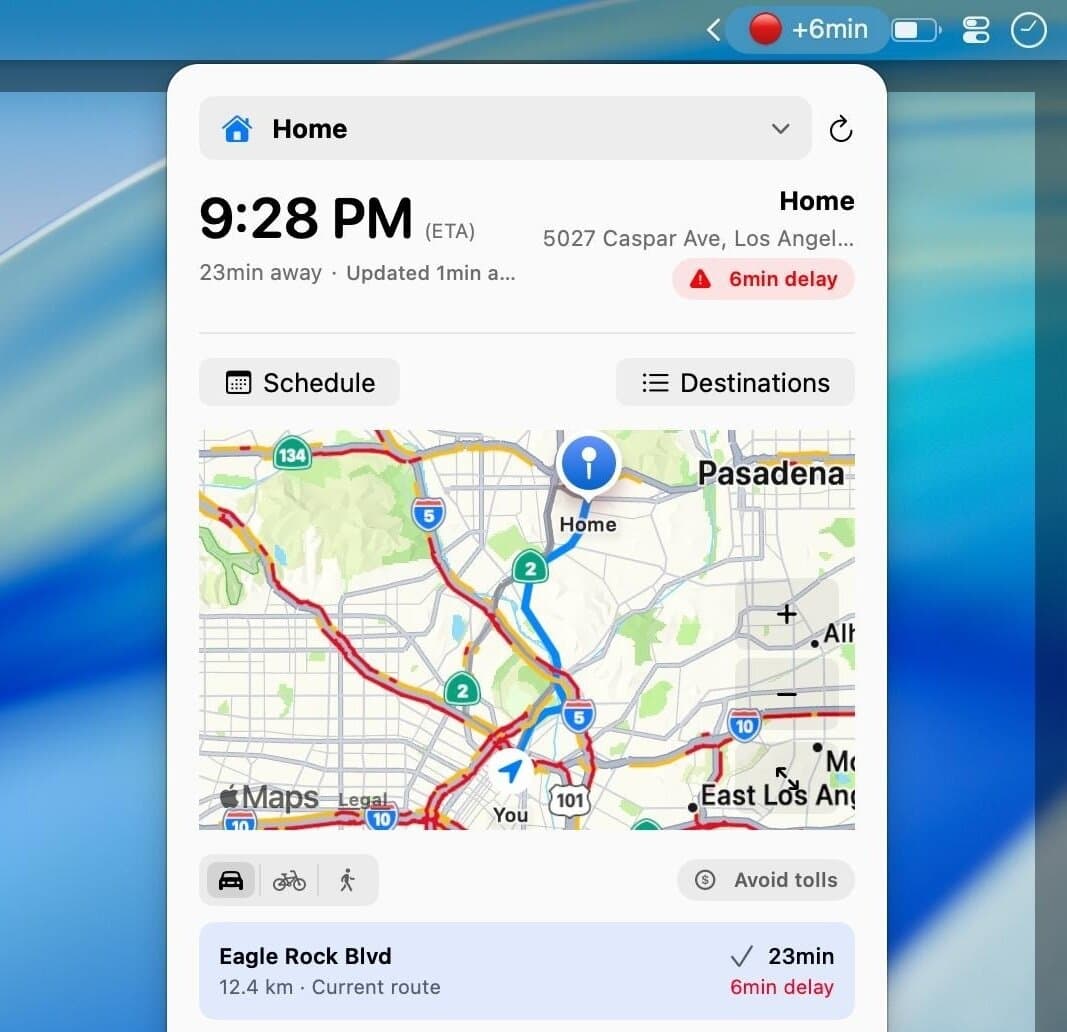
CommuteBar is a native app for macOS 14 or later. It keeps Apple Maps travel time visible next to the clock and shows whether traffic is improving or getting worse.
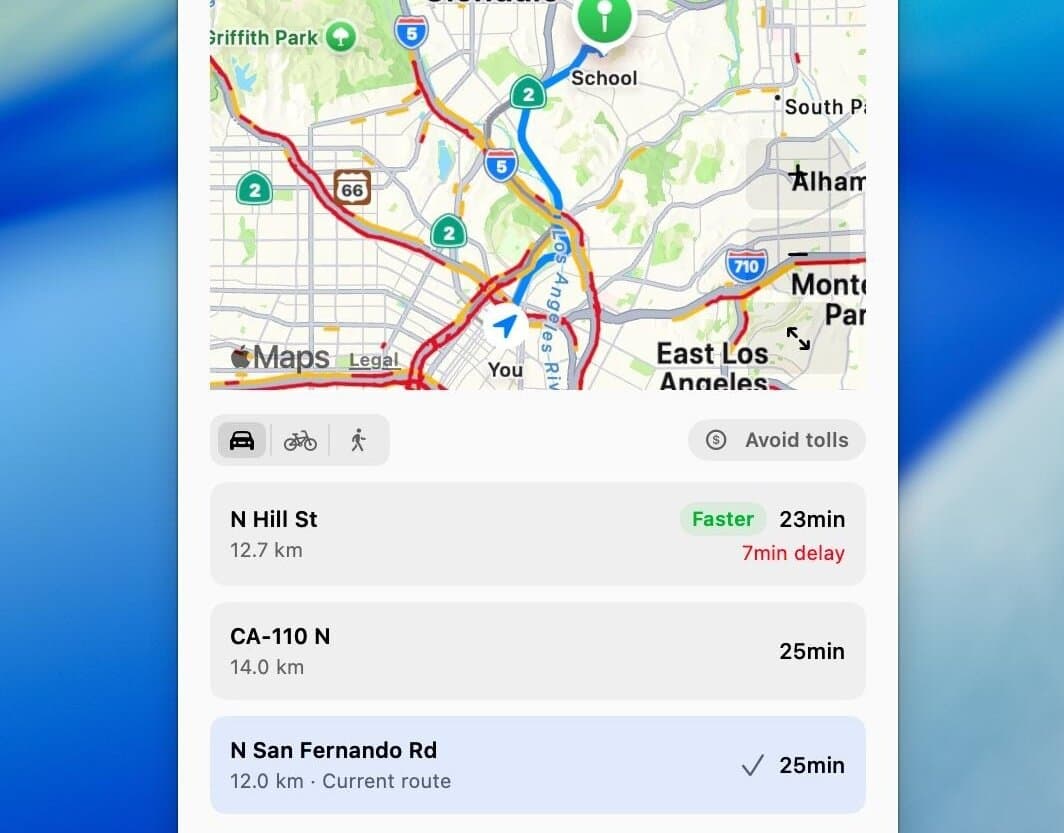
Users save destinations, schedule commute windows, and receive leave-soon or leave-now alerts. The app supports driving, cycling, and walking, compares routes, and can avoid tolls or highways.
CommuteBar does not replace turn-by-turn navigation. It mainly removes repeated Maps or phone checks before leaving. The direct lifetime license is currently $6.99, with no subscription, and activates on three Macs.
Practical uses
Monitor traffic to work from the menu bar.
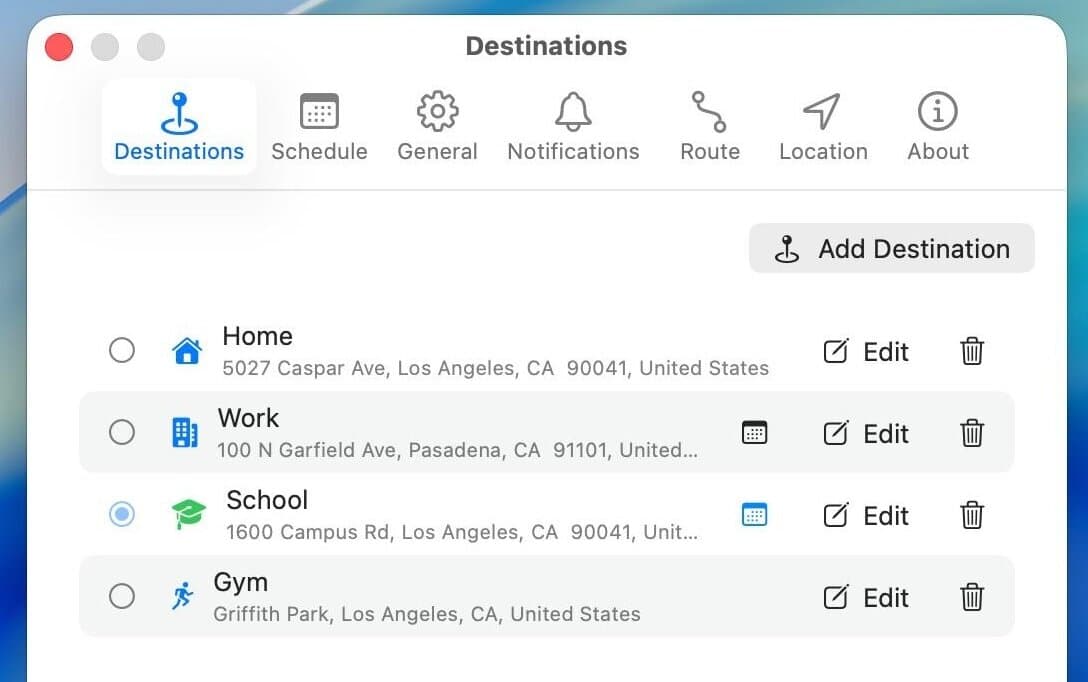
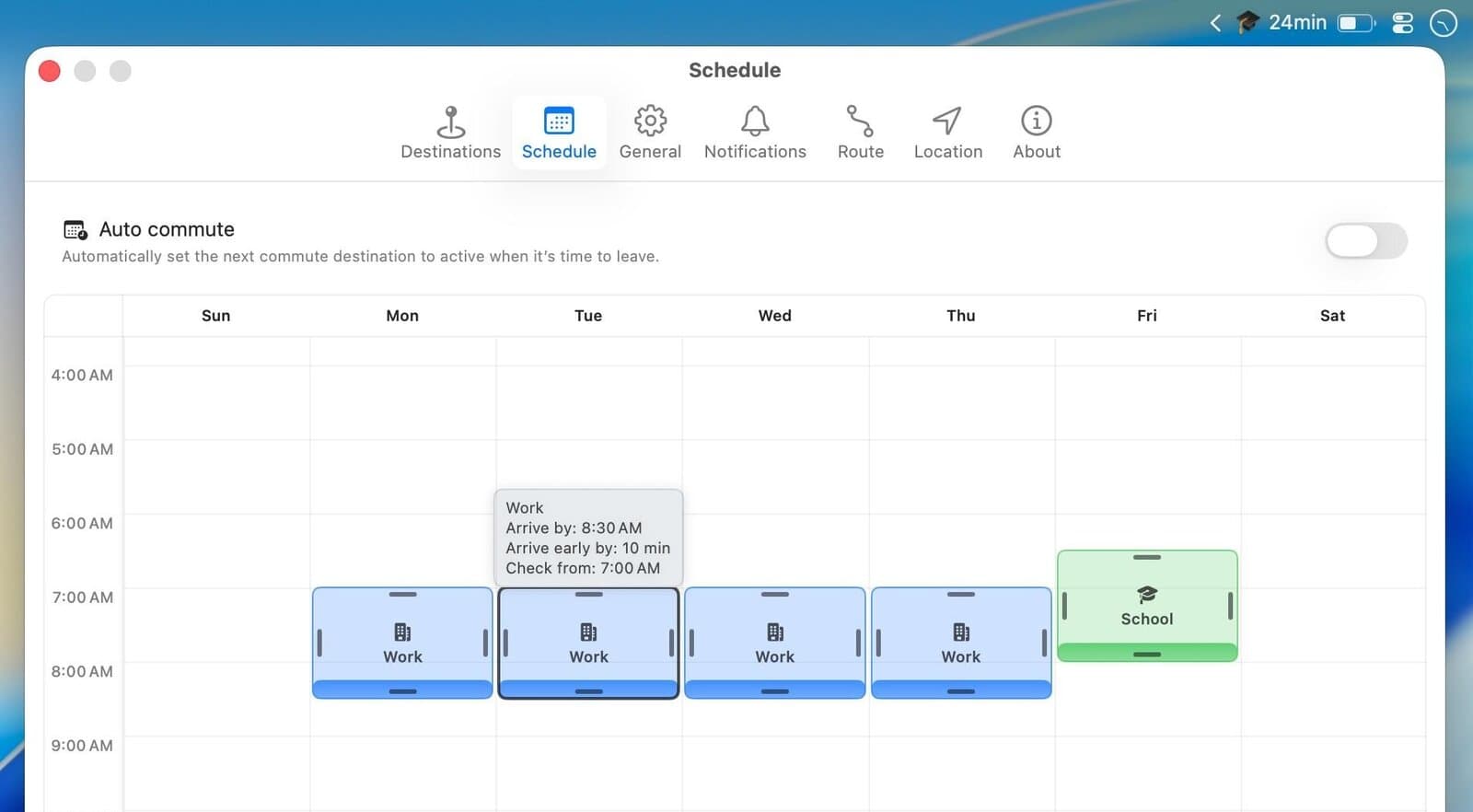
Automatically show school, gym, or a client destination by schedule.
Get alerted when a significant delay appears.
Features & use cases
Temps trajet
Alertes depart
Planification trajets
The case for and against. What CommuteBar does well, and when it costs too much.
For. What works in its favour.
ETA visible without opening a maps app.
Scheduled destinations and commute windows.
Departure and major traffic-delay alerts.
Location and destinations processed locally on the Mac.
Direct license activates on three Macs.
A discreet menu-bar indicator is enough before opening navigation.
You prefer a low-cost lifetime license over a subscription.
Against. What to plan for.
Only available on macOS 14 or later.
Depends on Apple Maps accuracy and availability.
Does not provide turn-by-turn navigation.
Future updates and macOS compatibility are not guaranteed.
You need turn-by-turn navigation during the trip.
Your trips are rare or unpredictable.
Our verdict. What to know about CommuteBar.
How the score breaks down
Added value
4/5
The lifetime license is listed at $6.99 and removes a repetitive check before regular trips (source: commute.bar, checked 2026-09-07).
Simplicity
4/5
Native installation, add a destination, grant location access, then see ETA in the menu bar, with no required account (sources: commute.bar and support, checked 2026-09-07).
Fit for purpose
4/5
Four official product images show ETA, destinations, travel modes, and commute windows. Estimates still depend on Apple Maps (source: commute.bar, checked 2026-09-07).
Performance
3/5
A focused utility covering schedules, alerts, routes, and three travel modes, but no turn-by-turn navigation or mobile platform (sources: commute.bar and terms, checked 2026-09-07).
Reversibility
4/5
Destinations and preferences are stored locally with SwiftData and can be removed by deleting destinations or uninstalling the app. The direct license remains valid for received builds (sources: commute.bar/privacy and support, checked 2026-09-07).