    My stack

    BracketView reviews

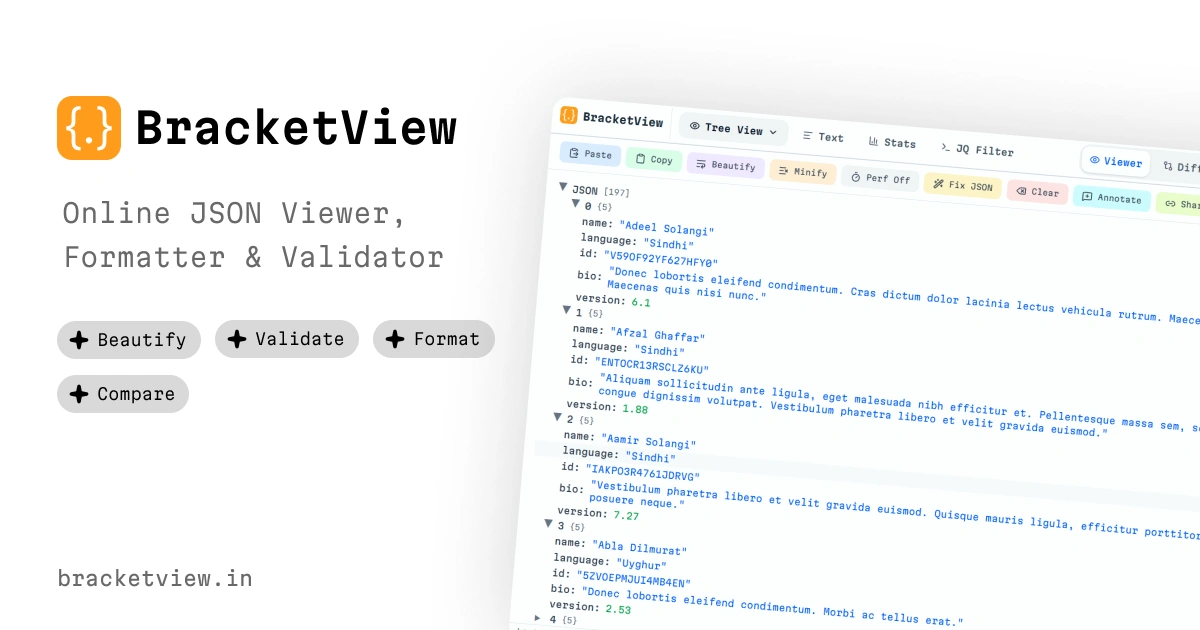
    JSON workspace in the browser or on Windows and Linux: format, validate, query (JSONPath, jq) and diff API data, as text, tree, graph, nodes or a table.

    Visit BracketView
    ToolTrim verdict Excellent

    Keep it if You open JSON every week and juggle several formatting sites.

    Compare alternatives
    BracketView, preview 1
    About

    In practice. What you can do with BracketView.

    BracketView starts from a common annoyance: online JSON viewers are often cluttered with ads, slow on large files, or send data to a server by default. The workspace, at app.bracketview.in, handles formatting, validation, display and queries in the browser. A Windows and Linux app does the same offline, with no account or AI, on heavier local files.

    JSON shows in five ways: text in a Monaco editor, a collapsible tree with search, a relationship graph, linked node cards and a nested table. Dual mode keeps the editor on the left and a view on the right. Around them: full jq compiled to WebAssembly, JSONPath, side-by-side diff, JSON Schema or OpenAPI validation, schema and type generation (TypeScript, Python, Go, Rust), a JWT decoder and YAML import. The interface comes in nine languages.

    Server features are optional: AI repair and explanation (through Groq or Google Gemini), test data generation, encrypted temporary share links, and a webhook tester that records incoming requests. The publisher warns that these links and webhook URLs are public to anyone who has them, and must not carry secrets.

    The free tier covers every core tool. Pro is for large files, links that must last longer and heavy AI use. The product is run by a solo founder, Jameel Shaikh, with no company named, and the desktop app is unsigned: Windows may warn at install.

    Practical uses

    • Read and debug an API response too long to scan by eye.
    • Pull part of a large documentJq or JSONPath, without writing a script.
    • Compare two versions of a config or a response.
    • Receive and inspect a service's webhooks during an integration.

    Features & use cases

    Json tools
    Api debugging
    Webhook testing

    The case for and against. What BracketView does well, and when it costs too much.

    For. What works in its favour.

    • Core tools run in the browser: your JSON stays on your machine to be formatted or queried.
    • Five views and full jq in one place, for free, with no account.
    • An offline Windows and Linux app opens large local files.
    • You want your data to stay in the browser for everyday operations.

    Pays off from

    5 minsaved a month

    BracketView costs $3/month. If your hour is worth $40, those 5 min cover it.

    Against. What to plan for.

    • Share links and webhook URLs are public to anyone who has them: nothing sensitive in them.
    • A solo-founder project, with no company named.
    • Unsigned desktop app and no Mac version.
    • You handle sensitive data and planned to use share links or the webhook tester.

    Too expensive if

    • You use it less than once a month
    • A simple free version or a tool already in your stack would do

    Our verdict. What to know about BracketView.

    How the score breaks down

    Verdict sourcesbracketview.in, November 25, 2026.bracketview.inbracketview.in/features, November 25, 2026.bracketview.in/pricingbracketview.in/downloads, November 25, 2026.bracketview.in/privacy, November 25, 2026.
    Added value

    Replaces several formatting, query and diff sites with one workspace, free for the essentials.

    Simplicity

    Paste, then pick a view; no account for core tools.

    Fit for purpose

    Five views, jq, JSONPath, diff, schema, types, JWT, YAML, webhooks, AI.

    Performance

    Full jq in WebAssembly, files up to 50 MB on Pro on the web and 200 MB in the desktop app.

    Reversibility

    No data lock-in: JSON stays a text file, processed locally for core tools.

    BracketViewFrom $3/mo
    Visit site